Installing OpenClaw Fast in China and Connecting It to Feishu, Windows Included
I spent a bit of time getting OpenClaw installed and connected to Feishu. If you don't want to sink a lot of time into tinkering, you can take a look at this article — at this stage there isn't much need to go deep into using it.
0. Environment
Before installing, make sure you have the following:
- Node.js 22+
- An AI coding tool that supports skills already installed (such as Opencode, which I'll use as the example below)
- (Optional) A phone with Feishu installed
If you haven't installed Node.js and Opencode yet, you can follow one of my earlier tutorials.
After a week with opencode, I threw Claude Code away (with an opencode installation guide)
1. Installing the skill
After poking around for the past few days, I found that someone has already distilled their own experience into a skill for installing OpenClaw, so we can do the install through that skill. Here's the address:
https://github.com/CY-CHENYUE/openclaw-installer-skill
In the Opencode chat box, enter the following instruction to have it install the skill:
请安装这个 skill:
https://github.com/CY-CHENYUE/openclaw-installer-skill
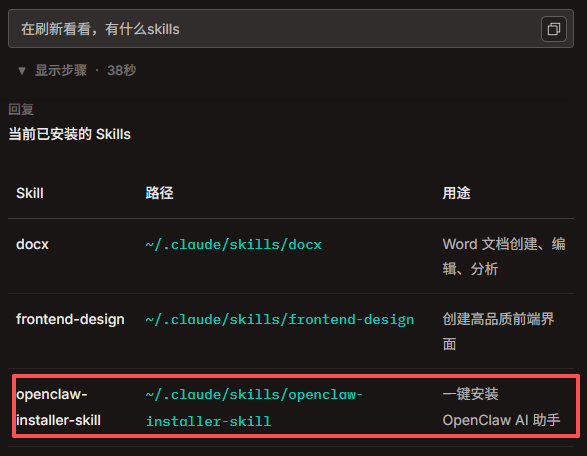
Once it's installed, you can have it verify that the installation succeeded:
2. Installing OpenClaw
In the Opencode chat box, use the skill you just installed to install OpenClaw:
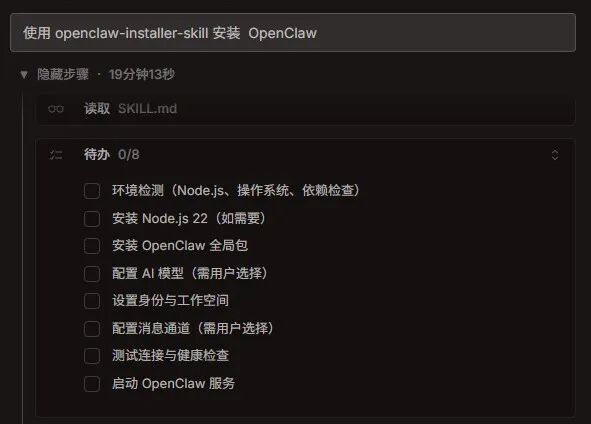
使用 openclaw-installer-skill 安装 OpenClaw
This takes a while — possibly close to 30 minutes — so please be patient.
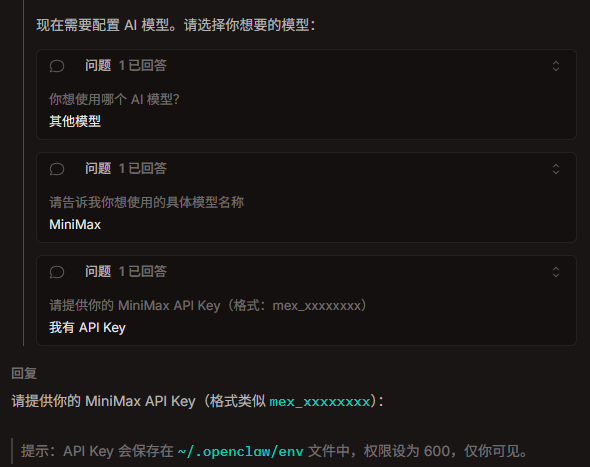
During the install you'll be asked to pick a large model. I'd suggest a domestic one, such as MiniMax or GLM. At the last step it's usually best not to provide an API key, because configuring it directly rarely works.
3. Connecting to Feishu
Next comes the channel (messaging tool) setup. If you don't want to hook up a chat tool for now, you can choose to skip it.
If you do want to connect one, you can choose Feishu:

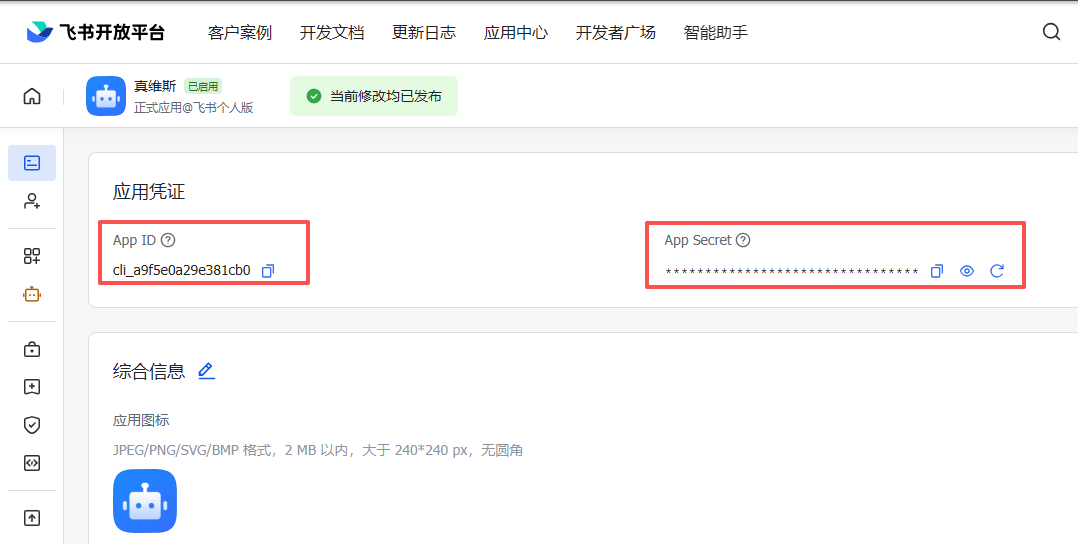
Before configuring the Feishu channel, go to the Feishu Open Platform first and apply for a bot app to get the App ID and App Secret.
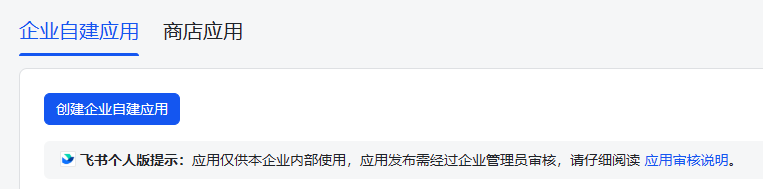
- Choose to create an enterprise self-built app.
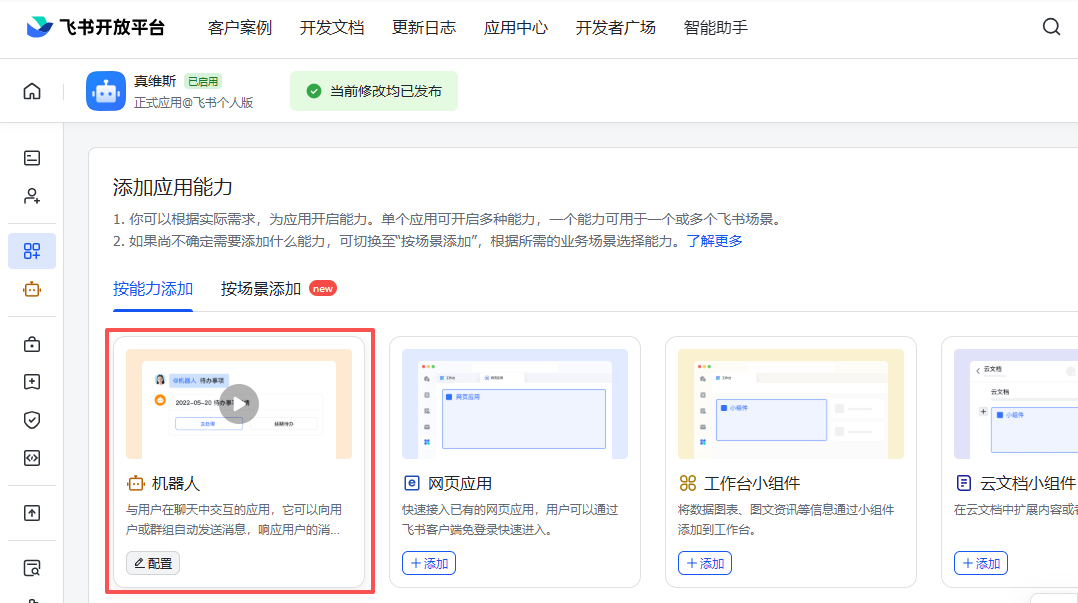
- Set the app capability to Bot.
- After creating and publishing it, you can find the App ID and App Secret on the Credentials and Basic Info page.
Back in the Opencode configuration flow, when it prompts you to configure the Feishu channel, tell it to use the following open-source plugin:
飞书通道使用这个插件 https://github.com/m1heng/clawdbot-feishu
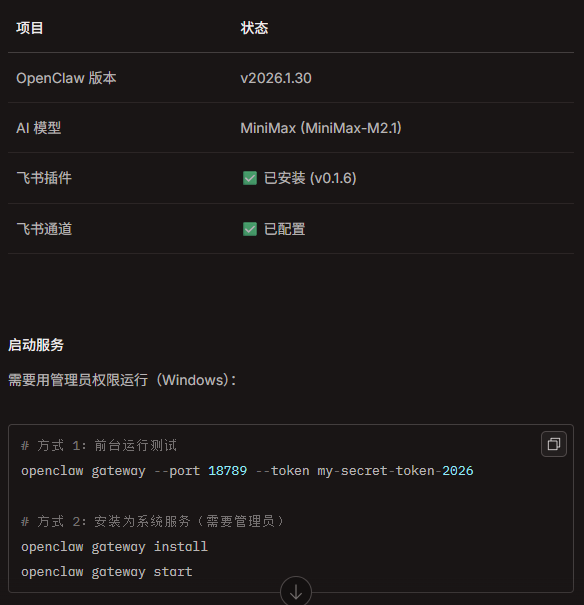
Once the plugin is installed and configured, you'll see a message like this:
After configuration, head back to the Feishu Open Platform and grant the permissions the bot plugin needs on the Permissions page:
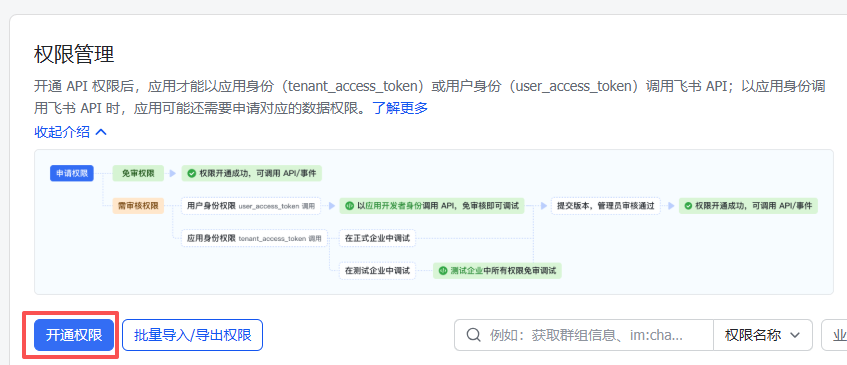
The list of required permissions for the plugin to run is as follows:
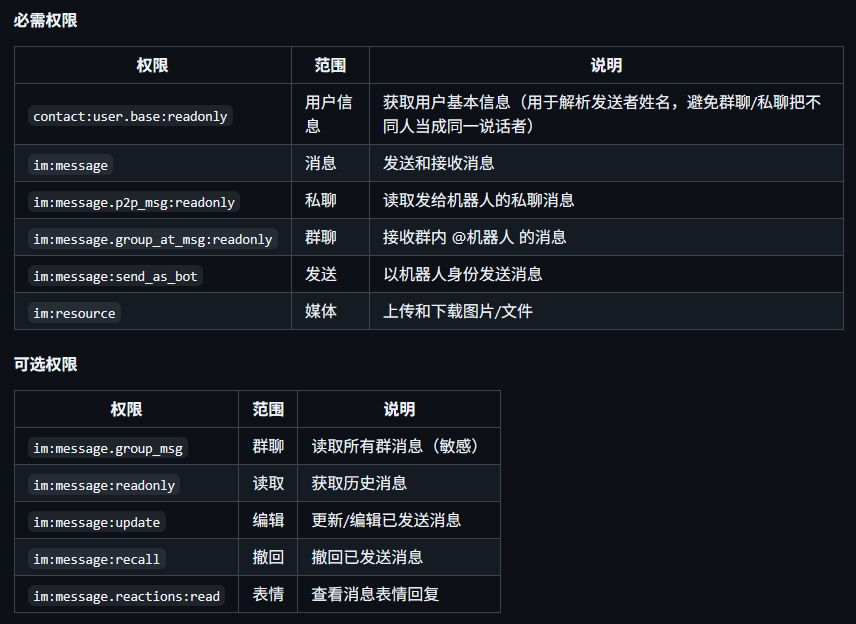
4. Model Configuration
To configure a domestic large model (such as MiniMax) correctly, refer to this open-source documentation:
https://github.com/spoto-team/openclaw-minimax-guide
In the Opencode chat box, enter:
请参考下面的文档,进行模型配置。我用的是国内的 MiniMax M2.1
https://github.com/spoto-team/openclaw-minimax-guide
If nothing goes wrong, that's the whole configuration process done. You can visit the following address to use OpenClaw:
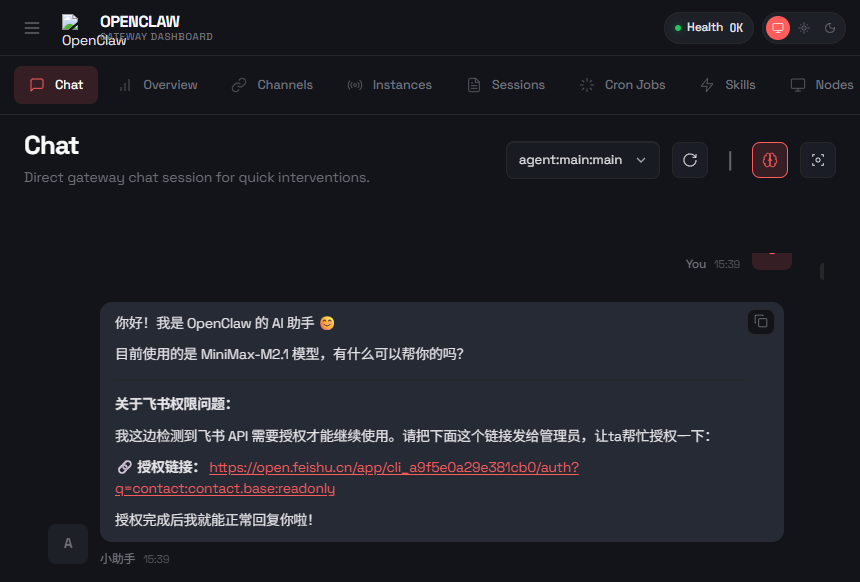
If you hit a problem, send the error message to the AI (Opencode) — it can usually offer a solution.
For example, the missing token error:
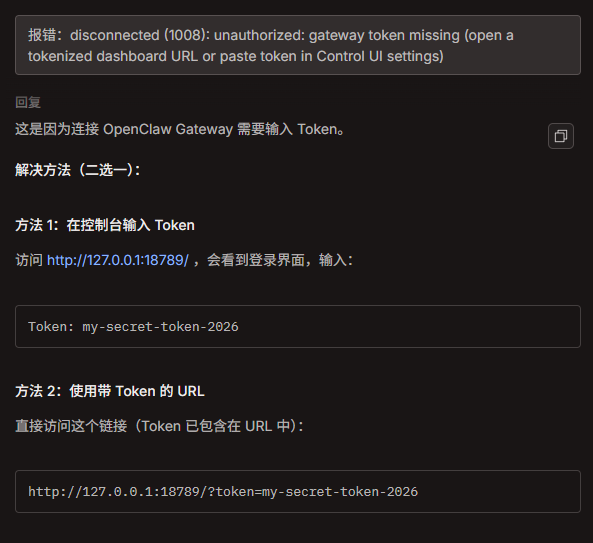
If you follow the steps, you can generally get it sorted out.
Hands-On Summary
Once it was running, I quickly tried out its features.
First I installed the browser plugin for OpenClaw (it may have been pulled from the store by now, so you'll need to install it manually — ask opencode for the details) so that it can browse the web.
Then I had it look up today's A-share market moves.
At that point it automatically opened several pages to run the analysis:
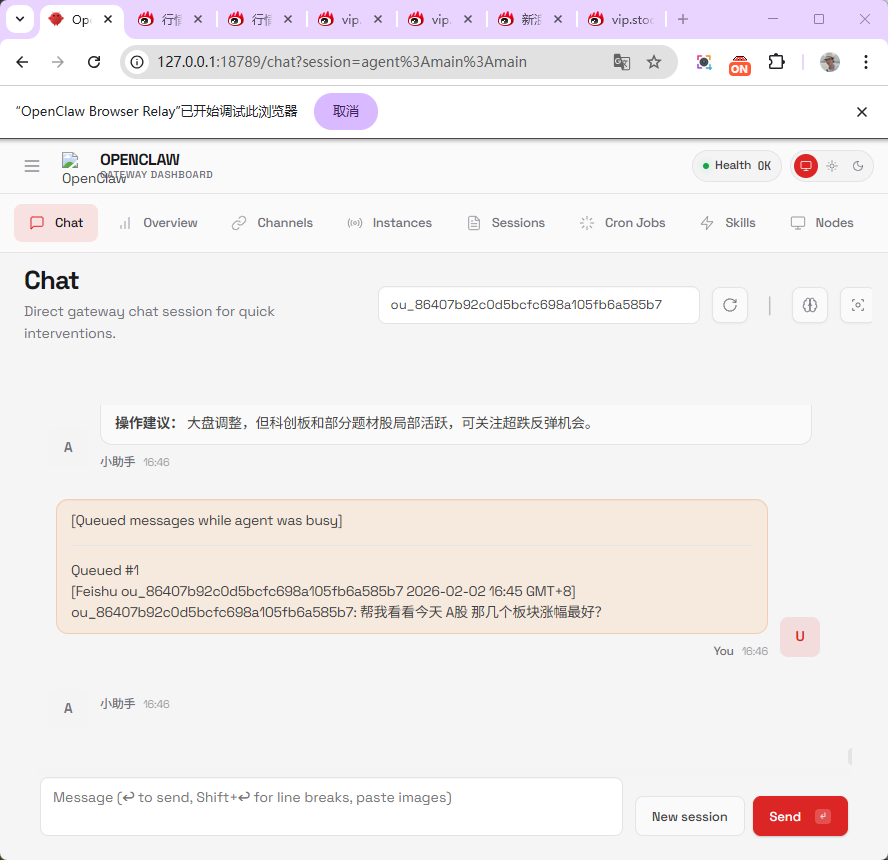
The analysis results were decent:
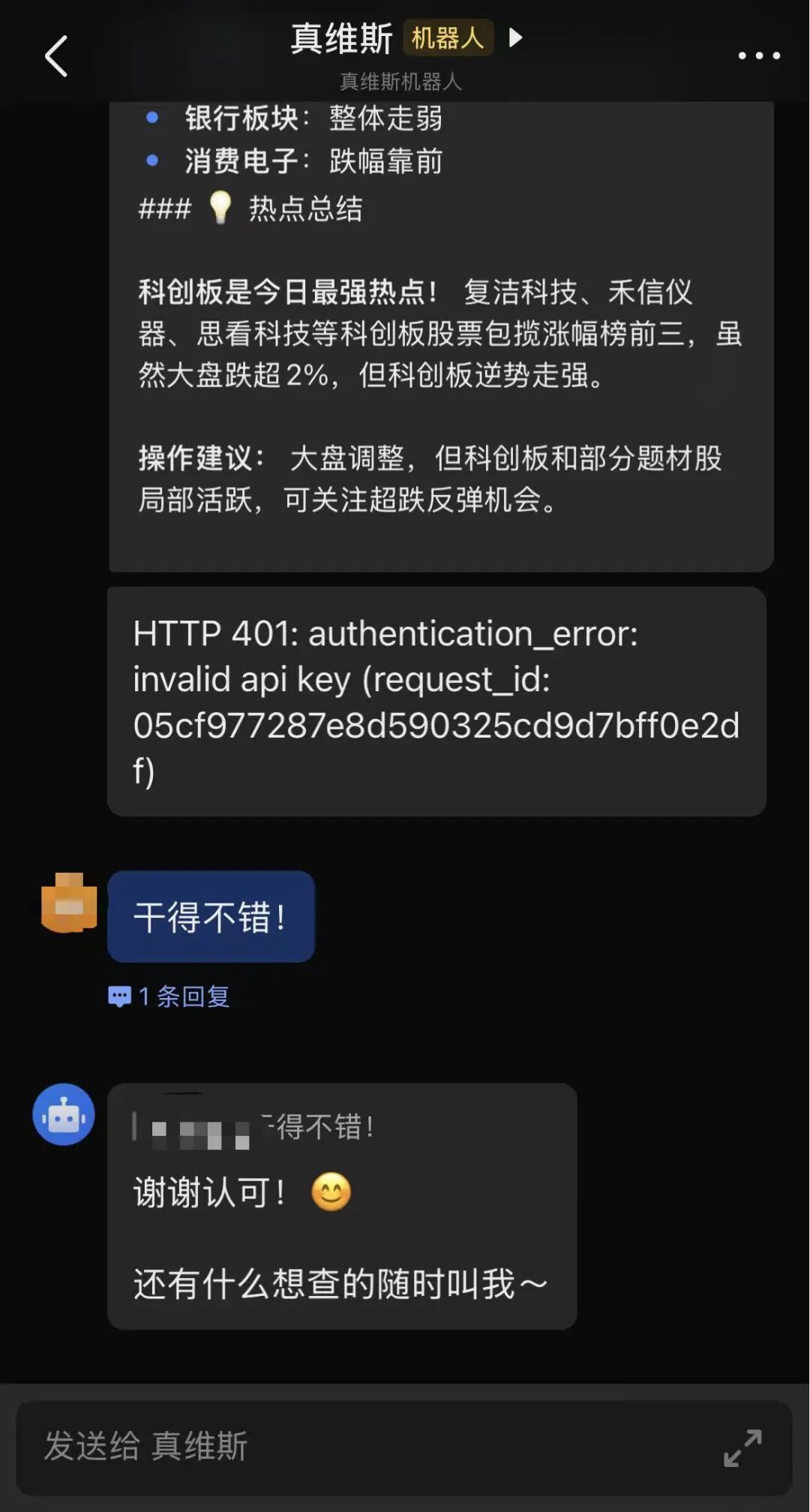
But as you can see, I still ran into 401 permission errors and similar problems frequently during use.
It's also fairly slow to respond. Even saying hello can take 3-5 seconds.
Support for images, audio, and video still needs extra fiddling.
Overall, OpenClaw is still a half-finished project at this point: a small change to a config option can stop it from starting, and there are quite a few bugs. (This latest update even swapped out the logo [/facepalm])
If you don't want to spend a lot of time tinkering, there isn't much need to use it in depth at this stage.
Related articles:
After a week with opencode, I threw Claude Code away (with an opencode installation guide)
The first battle of AI apps in 2026 kicks off, from programmers to every office worker
A guide to Claude Code alternatives in China: easily connect GLM and MiniMax