The First AI Battle of 2026: From Programmers to Every Office Worker
Claude Cowork brings powerful capabilities to the desktop app, and MiniMax follows right on its heels. 2026 is bound to be the year desktop AI reaches the masses. Will you bring these AIs into your daily work?
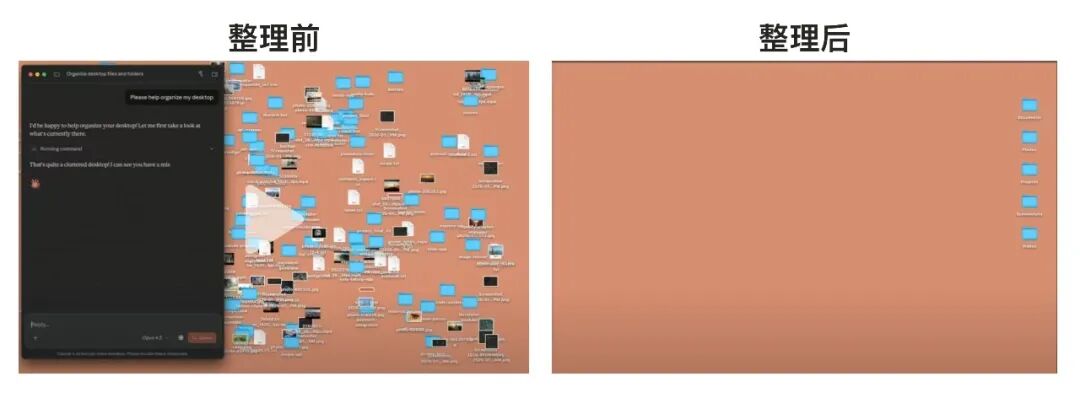
A few days ago I stumbled on an introduction to Claude Cowork on some WeChat public account. It claims that with one sentence of instruction it can automatically tidy up your messy desktop, sorting and filing everything into place.
That demo genuinely stunned me a bit. The AI assistant is moving from "responding to conversation" toward "acting on its own" — actually doing the work for people at the operating system level.
Before I had even digested Anthropic's earlier Claude Skills feature, along came another "big one": Claude Cowork.
It is no longer confined to a browser or a chat window. As a standalone application it plugs straight into your workflow and becomes an intelligent collaborator sitting on your desktop, ready to take orders at any moment.
Rebuilding desktop AI around projects
Clearly, Anthropic's reach is extending from the programmer crowd toward a much broader population of office workers.
In 2025 Claude stood out in code generation and technical Q&A, pulling in plenty of developers. But now they are visibly lowering the barrier to entry, trying to cover ordinary staff who spend their days handling documents, organizing materials, and doing content creation.
Many office workers feel a certain instinctive resistance to the command-line way of working in Claude Code. But with a visual, graphical tool like Claude Cowork, the learning curve is much gentler and the psychological burden is smaller.
Unlike some AI office tools already on the market (such as certain lightweight tools Doubao launched earlier), Claude Cowork still seems designed with a strong engineering and project mindset.
It does not simply handle a one-off temporary task. Instead it lets you authorize a specific folder for it, and the AI keeps operating within that scope on your behalf.
Generated content is also saved directly in the current project folder — it will not be scattered all over the place, and it will not touch other files on the system. That way you can genuinely work project by project and let the AI take part — organizing all the reference material for a research report, say, or sorting the images and contracts for an event you are planning — with no worry at all that it will touch unrelated files by mistake. Safe and clear at the same time.
MiniMax's desktop app is likewise designed around the project concept
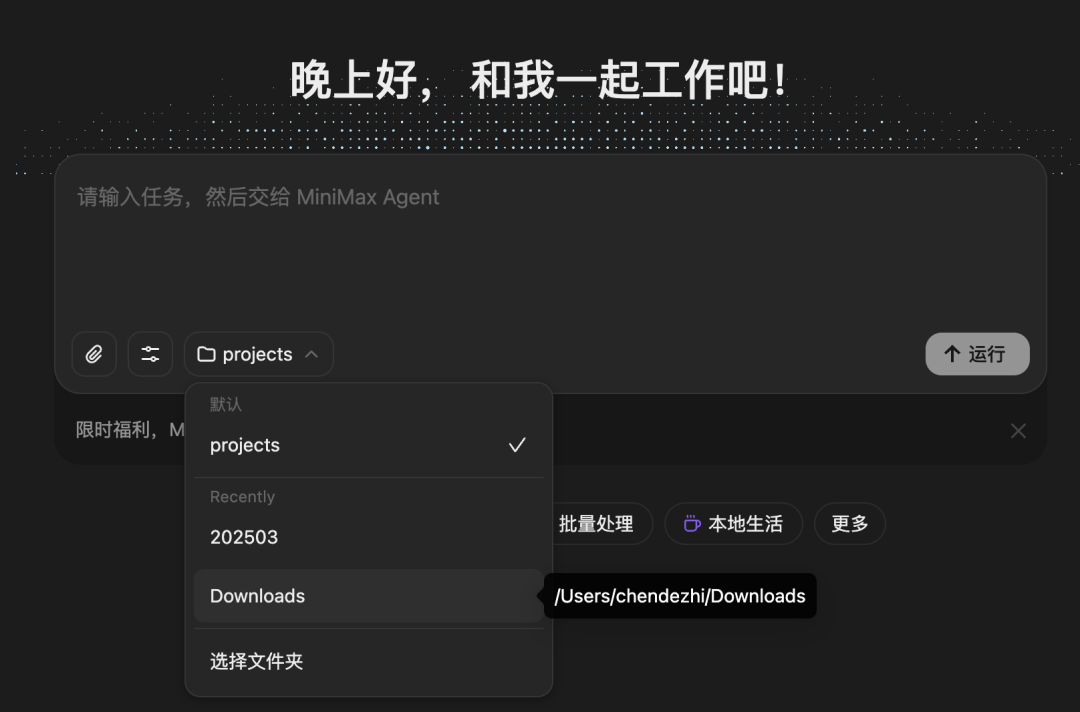
MiniMax's desktop version, right behind Claude Cowork
I had assumed a feature like this would take months, maybe far longer — after all, it involves system permissions, file operations, and security boundaries, and it is not simple to design.
To my surprise, the domestic team at MiniMax has already finished their own desktop AI tool, and it is open for download. And unlike Cowork's strategy of shipping on Mac first and only bringing out a Windows version in mid-2026, MiniMax already has a Windows build available for download.
That speed really is unexpected, and it makes you curious which scenarios they actually implemented, and whether it likewise supports natural-language commands and project-based management.
If you want to give it a try, you can visit this link to download:
https://agent.minimaxi.com/download.
Folder cleanup
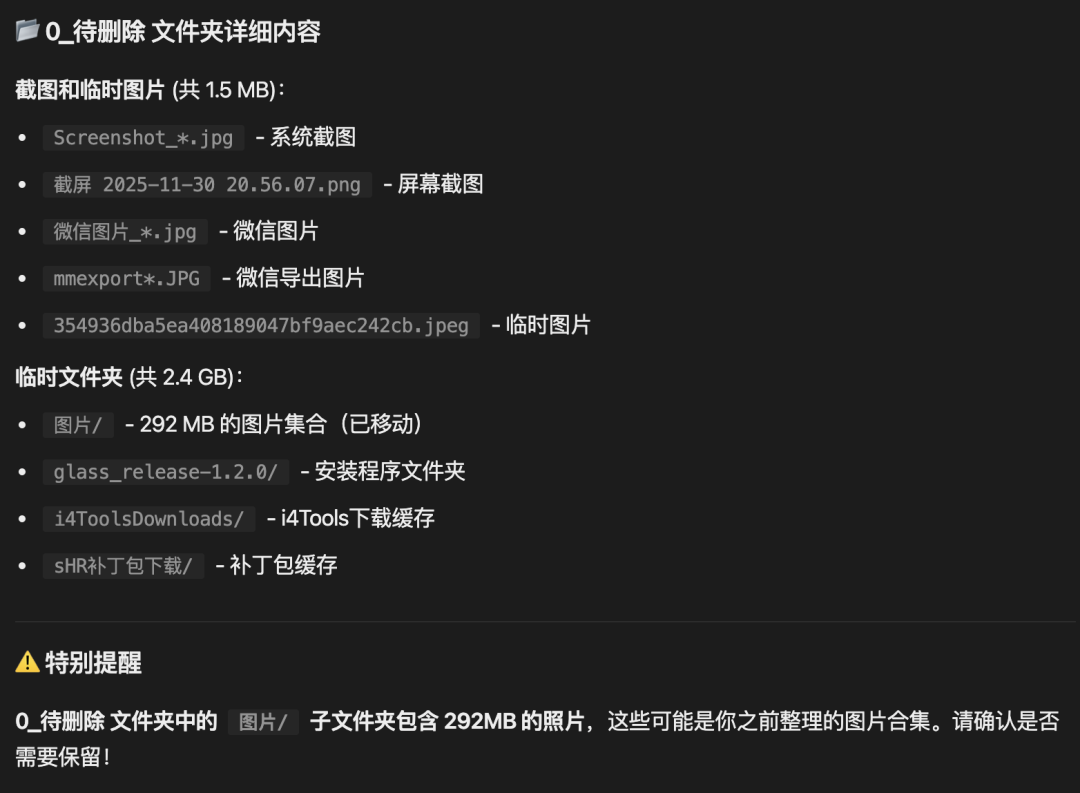
The Downloads folder is probably everyone's sore spot. I asked it to help tidy it up and pay special attention to what could be deleted.
In the end the overall result was decent, except that I did not have it look at the images. It could only guess from file names, and it wound up putting all the images saved from WeChat on the list of things that could be deleted. So you still need to double-check.
Handling Excel documents
It supports exporting Excel spreadsheets, plus calculations and other features.
I threw my old expense reports at it and asked it to organize them into an Excel document.
It could call OCR to recognize them, then call Python to output the Excel file. Its overall tool-calling ability is very good.
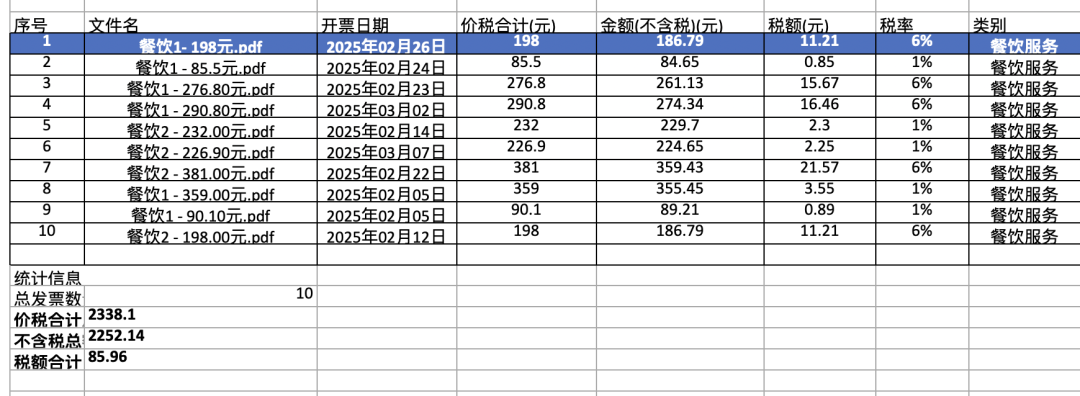
In the image above, the second column is the file names I had added prices to when I organized them earlier. As you can see, the amounts OCR finally read out match the file names exactly. The categories were summarized correctly too. It even added some basic styling to the table.
However, the total is hard-coded. Personally I would rather it kept the formula so I could adjust things by hand later.
PPT writing from a topic
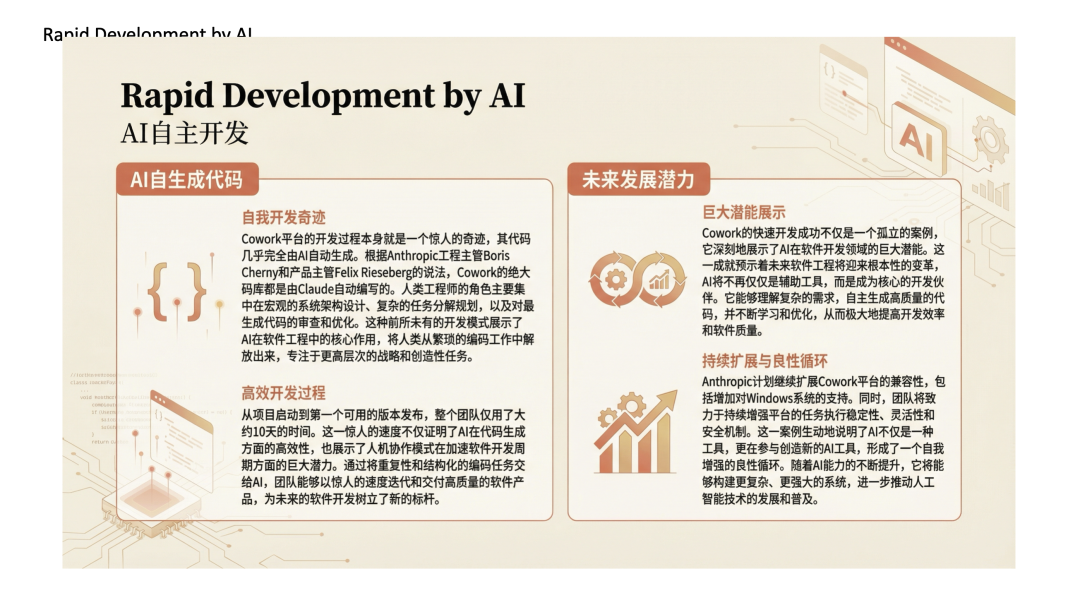
It supports researching the latest technology and then outputting a PPT.
Give it a topic and it extracts 3 keywords, searches the 10 most recent articles for each one, summarizes them itself, and finally outputs a PPT.
The PPT styling is quite nice, and it can generate some highly relevant images as explanations. Unfortunately the output is images, which cannot be edited yet. And because it searched a lot of English material, the generated PPT was full of English too. When I asked it to change it to Chinese, the styling all changed as a result.
Also, generating the PPT images takes too long and burns too many tokens, so the free credits ran out quickly.
Desktop AI in 2026 is bound to reach the masses
Overall, the MiniMax desktop version is an early exploration worth watching. It foreshadows 2026, when AI applications will move fully from "conversation" to "execution" and become productivity tools within reach of every office worker.
For now it still has quite a few rough edges. In the accuracy of task understanding, in understanding images, and in support for turning English material into Chinese, the MiniMax desktop version may still have limitations.
Even so, its arrival has already sketched out a clear picture of the future for us: AI is evolving from an auxiliary tool into a collaborative partner, and its potential goes far beyond what it can do today.