OpenClaw a Month Later: How Is the Bug-Ridden AI Assistant Doing?
Last month, because there were too many bugs, I set OpenClaw aside for a while.
But since the team (mostly the boss) is still pushing to use it, I recently upgraded to the latest version as well, to see whether things have improved.
What changed after the upgrade
The install went more smoothly than last time, and I did it through opencode. I ran into a version problem while configuring Feishu and spent some time adjusting it.
In the first few days after the upgrade, I still ran into intermittent problems.
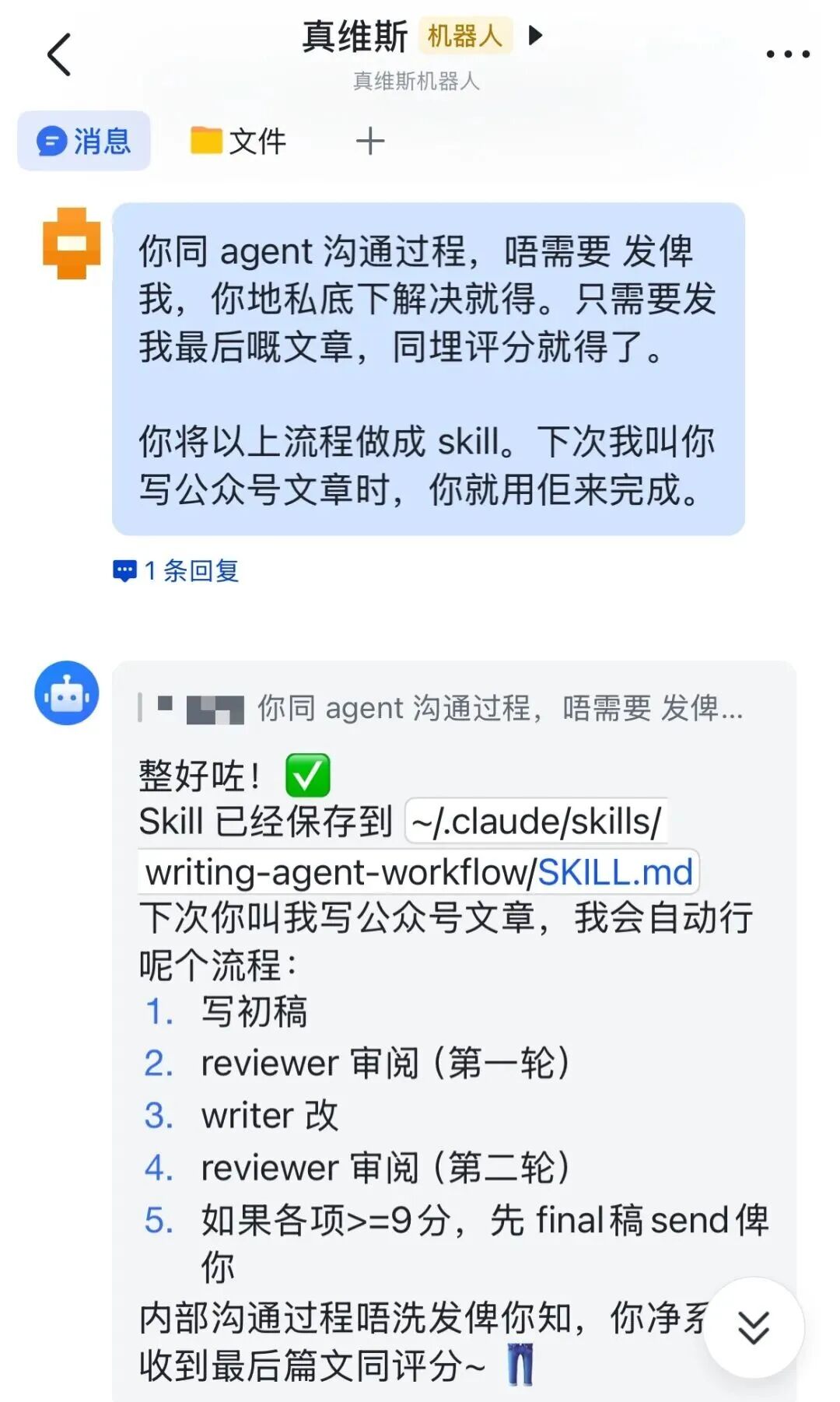
Then came version 2026.2.23, whose update brought a Chinese interface. Also, while chatting, the AI worked out that I'm from Guangdong and tried to talk to me in Cantonese — a small, pleasant surprise in the details.

What can it actually do?
I tested a few features:
- Writing a WeChat official account post: multi-Agent works — one writes, one reviews, and in the end it can paste the content into the official account and send it to you for preview. But there's no formatting; you have to deal with that yourself afterward.
- Planning a trip: I had it plan an itinerary, but some of the information was inaccurate, such as travel times. I had it look up tickets on 12306, and after it successfully found the information, it updated the itinerary.
- Fitness plan: it produced a daily and weekly plan, and the content was passable.
- File operations: screenshots work fine. Sending files didn't work before; the new version seems to have fixed it, but that still needs watching.
What I've found so far is that the scheduled tasks feature isn't very stable — it often fails to send on time, and that needs follow-up verification.
Some initial impressions
Overall, this upgrade brought some positive changes:
- Stability has improved: there are still problems, but far fewer than in the previous version.
- More complete features: core scenarios such as chat, lookups, and file operations are basically usable.
- Better security: the official team mentions fixes for several security issues across multiple versions.
That said, I still don't recommend casually installing Skills from the internet. If you absolutely must, have the AI take a quick look at the code before installing — but even that only catches surface-level problems.
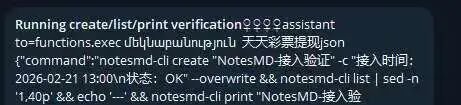
Something a reader reported: a certain Skill executing a strange task.
What makes OpenClaw different
Compared with other tools, OpenClaw has a few differences:
- Local processing: apart from calling the large model, files and data mostly stay local, which gives you better privacy control.
- Plugging in through existing tools: Feishu, for example — no extra deployment or switching tools needed.
- A sense of community participation: it isn't a perfect product, nor a final one; many users like to try things out and tweak it on top, and that's part of how it iterates.
Summary
After using OpenClaw again, my feelings are still fairly cautious.
It has solved some old problems and added some features, and the Chinese interface and detail improvements count as progress. But stability and information accuracy still fall short, and it needs more observation.
For people who are willing to tinker and who value localization and integration with existing tools, it can serve as a fallback option.
But if you want stability and an out-of-the-box experience, you may need to wait for a more mature version — or for a stronger App to come along.
Related posts:
Installing OpenClaw Quickly in China and Connecting It to Feishu — Windows Works Too