Git Worktree: The Secret Weapon for Parallel AI Coding Agents
Multi-agent AI collaboration isn't a concept from the future—it's happening in your editor right now. And Git Worktree solves the core problem of multi-agent collaboration: workspace isolation.
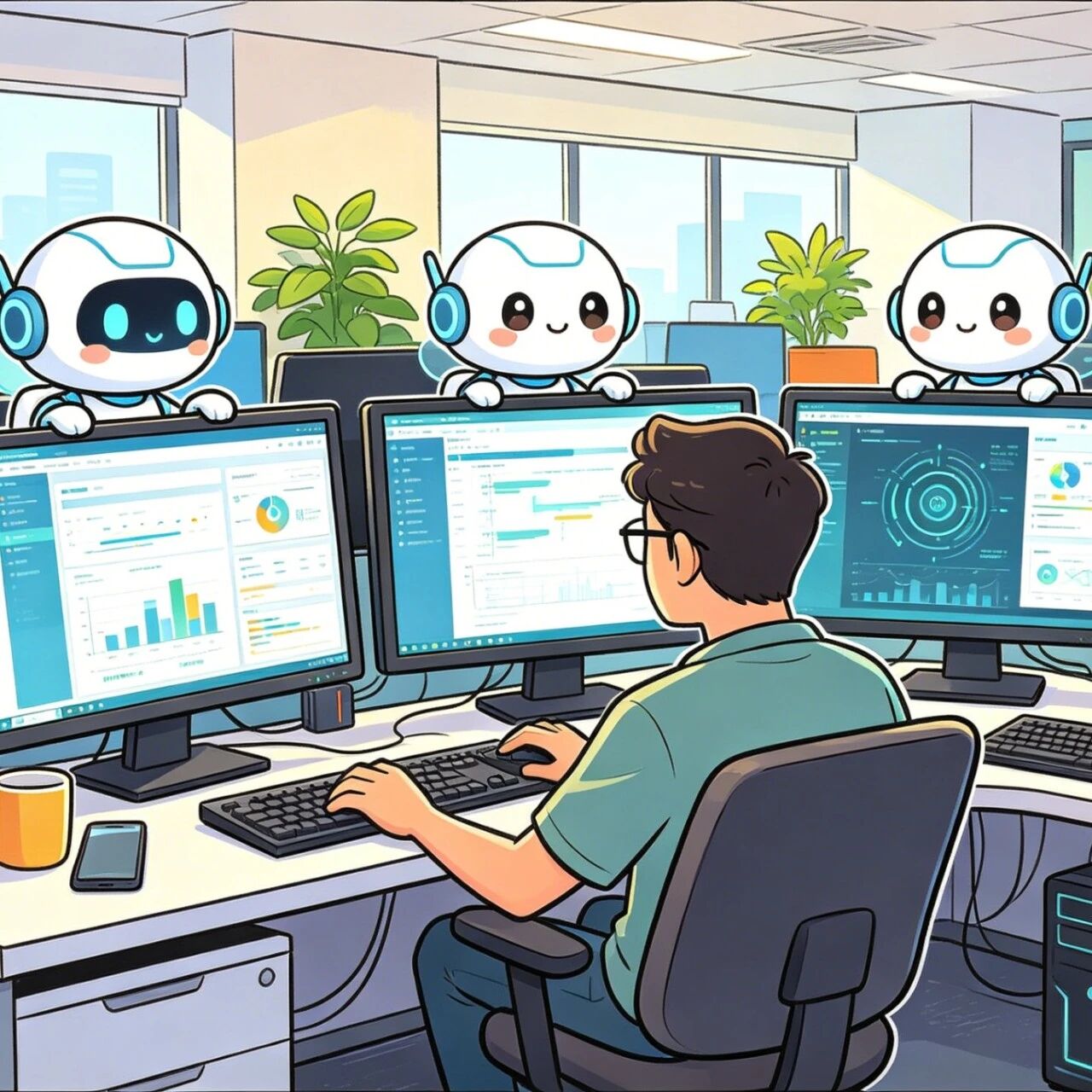
You're building a new feature in your AI coding tool when product shows up and asks you to fix an urgent bug. So you spin up two AI Agents:
- Agent A: writing a new feature on feature/new-dashboard
- Agent B: fixing a login bug on fix/login-bug
You think to yourself: "Two Agents working at once—double the efficiency."
But three minutes later you come back to the editor and see this:
app/
├── dashboard.tsx    ← Agent A 刚改了这里,但没写完
├── login.tsx        ← Agent B 也改了这里,把 A 的改动覆盖了
├── utils.ts         ← 两个 Agent 都在改,互相覆盖了三轮
The workspace is a tangled mess, conflict markers are flying everywhere, and both Agents think they have the repo to themselves.
That's the biggest pain point of multi-agent collaboration: when several AI Agents operate in the same working directory at the same time, they step on each other's toes.
How do you fix it? The answer is Git Worktree.
## The core idea: give every Agent its own workstation
Git Worktree lets you check out several branches of the same repository into different directories at the same time.
There are only four core commands:
# 创建一个新的 worktree
git worktree add ../project-feature-b feature-b
# 列出所有 worktree
git worktree list
# 用完删除
git worktree remove ../project-feature-b
# 清理已被删除的 worktree 记录
git worktree prune
The flow is just as simple: create (add) -> develop -> delete (remove) -> clean up (prune).
This isn't a new Git feature—it's been around for 10 years, built to solve the conflicts that come from switching branches back and forth during multi-task development.
You could of course use git clone to make two repositories, but compared with copying an extra repo, a worktree shares the object store, takes less time, and leaves no garbage behind.
In multi-Agent scenarios, where multi-tasking causes conflicts far more obviously, worktrees get used a lot more.
Here's how it's applied with multiple Agents:
主仓库: ~/project(你的主工作区)
  ├── Agent A 的工作区: ~/project-agent-a(git worktree add feature/new-dashboard)
  ├── Agent B 的工作区: ~/project-agent-b(git worktree add fix/login-bug)
  └── Agent C 的工作区: ~/project-agent-c(git worktree add refactor/api)
⚠️ Note: here the main repository and the worktrees are sibling directories.
Comparing multiple Agents with and without worktrees:
| Dimension | Multiple Agents in one directory | Worktree isolation |
|---|---|---|
| Working directory | Share the same directory | Each has its own directory |
| File changes | Overwrite each other, constant conflicts | Fully isolated, no interference |
| Git state | Interrupted by the other, git status is a mess | Each minds its own branch |
| Dependency installs | Can break each other | Each gets its own node_modules |
| Killer advantage | — | You can keep coding in the main workspace |
An Agent's worktree is best thought of as a disposable sandbox—create, work, open a PR, delete; a clean, clear lifecycle.
## Tool support
Once you understand what worktrees are worth to an AI Agent, the natural question is: which AI coding tools today support worktrees natively?
The answer: the split is stark.
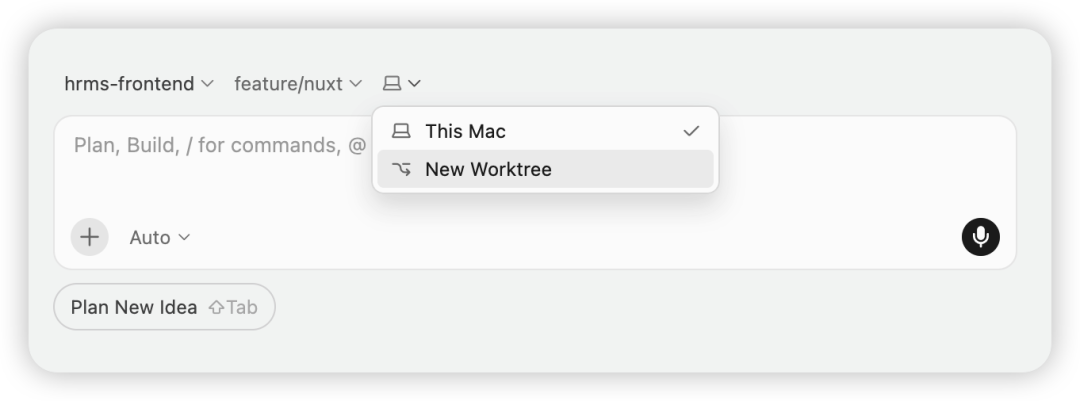
So far I've only seen an obvious Worktree entry point in Cursor's Agent window. Once you pick it, all changes happen inside the worktree.
cline, meanwhile, supports command-line operation:
# 并行启动三个 Agent,各自在独立的 worktree 里工作
cline --cwd ~/project/agent-a -y "实现用户认证模块" &
cline --cwd ~/project/agent-b -y "撰写 API 文档" &
cline --cwd ~/project/agent-c -y "修复已知的 3 个 Bug" &

wait
echo "三个 Agent 均已完成任务!"
Beyond the IDE itself, workflow tools and skills also help carry out the worktree flow—the SDD tool SpecKit, for example, creates a worktree for every requirement.
And since it's a long-standing feature, you can drive it with natural language even without dedicated tooling.
Create a new worktree and complete the following requirement: [your requirement description]
You can even put that in your system prompt, so you don't have to judge each time whether a new worktree is needed.
## Three modes of multi-agent collaboration
### Mode one: navigator mode (1:1)
One Agent plus one worktree—the most basic mode.
You assign each Agent its own branch and its own worktree; the Agent edits code, commits, and opens a PR inside the worktree. Once you've reviewed and merged, just delete the worktree.
你 👉 Agent A → worktree-a(feature/new-dashboard)
你 👉 Agent B → worktree-b(fix/login-bug)
你 👉 Agent C → worktree-c(refactor/api)
When to use it: tasks with clear scope that don't depend on each other.
### Mode two: race mode (N:1)
Several Agents try different approaches to the same task in different worktrees; when they're done, you compare the results and merge the best one.
同一个任务:"优化数据库查询性能"
  ├── Agent A in worktree-a:方案 A — 加索引
  ├── Agent B in worktree-b:方案 B — 改写 SQL
  └── Agent C in worktree-c:方案 C — 引入缓存
Enter a prompt like this:
Create worktree A and optimize the database queries, then create worktree B and optimize the database queries a different way.
Finally, compare the benchmark results from the two worktrees and merge the best one.
When to use it: when you need to explore several technical approaches and aren't sure which is best. Don't put all your eggs in one basket.
### Mode three: pipeline mode (1:N)
The output of one worktree becomes the input of another, forming a processing pipeline.
Create worktree a and write unit tests for the auth module;
when that's done, create worktree b, implement the auth module, and make sure it passes the tests in worktree a.
Or something more clever—fail first, then correct:
Create worktree a and try to refactor the auth module; if it fails, just output the reason for failure. If worktree a failed, this is the reason. Implement it a different way in worktree b.
When to use it: when tasks depend on each other and have to be handed off in sequence.
## Best practices: how to let several AI Agents work at once, safely
### 1. One Agent, one branch
Naming convention:
Agent A → agent/feat/new-dashboard
Agent B → agent/fix/login-bug
Agent C → agent/refactor/api
The agent/ prefix marks them all consistently and makes bulk cleanup later easy.
### 2. Get the task granularity right
Task granularity matters for each Agent:
- Too small (changing one line of config) → worktree overhead > the payoff
- Too large (refactoring the whole project) → you wait too long, and the worktree branch falls too far behind
The right granularity: one Agent completes one unit that can ship as its own PR (one module, one feature, one related set of fixes).
### 3. Throw it away when you're done
# Agent 完成任务后:
git worktree remove ../project-agent-a
git worktree prune
Don't let worktrees pile up. After each Agent task finishes: merge the PR → delete the worktree → clean up the records. Keep things tidy.
### 4. Protect the worktree directory with .gitignore
If you put worktrees inside the project directory (e.g. .worktrees/), make absolutely sure they're gitignored:
.worktrees/
Otherwise your git status will show hundreds or thousands of "changed files," because changes inside the worktree are visible to the main repo.
### 5. Leave yourself a buffer
Don't let an Agent branch sit for a long time after being branched off main without merging. If an Agent task is expected to take a while (more than half a day), have the Agent regularly merge the latest main-branch code in.
## Wrap-up
Multi-agent AI collaboration isn't a concept from the future—it's happening in your editor right now. And Git Worktree solves the core problem of multi-agent collaboration: workspace isolation.
Multi-agent collaboration = Agent capability × Worktree isolation × Task orchestration
Miss any one of those and multi-agent work stops being a productivity gain and becomes chaos. With worktrees underneath, you can let several AI Agents work for you at the same time without worrying about them stepping on each other's toes.
Have you used the multi-Agent + Worktree setup? What tripped you up? Share it in the comments.
Related articles:
An AI Agent and Git Collaboration Guide: From Code to Documentation
GitHub clone hangs, pip gets stuck, brew spins forever? One guide to fix it all
More controllable AI coding: GitHub's own Spec-kit gives you a smooth development flow
More controllable AI coding: the open-source SDD tool OpenSpec
After a quick run at spec-driven development, I found where it actually fits