After Trying Spec-Driven Development for AI Coding, I Found Where It Fits
Bringing SDD (specification-driven development) into AI coding makes large-model output better match expectations. This article practices SDD with Kiro's Spec Mode and tries to find where it fits.
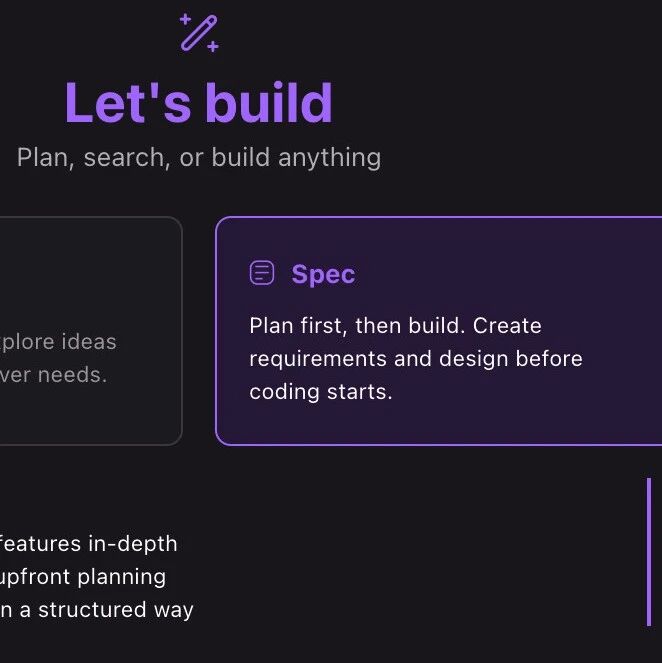
What is SDD, specification-driven development?
SDD (Specification-Driven Development) sounds fancy from the name alone, but it is really just the workflow many internet companies have been running all along: clarify the requirements first, turn them into a specification document, then development designs and builds from the document, and QA writes test cases from the document.
SDD emphasizes the importance of the requirements document: all subsequent tasks need to align with it.
I'm bringing SDD up again because large language model AI coding today runs into the same problem — unclear requirements leading to results that don't match expectations.
Tools for a first taste of spec-driven development: Kiro/Comate
If you want to try it quickly, you can use Kiro, the AI coding IDE from Amazon, which ships with Spec development built in. The free version currently gives you 50 interactions a month.
Baidu's Comate in China has followed suit; worth seeing whether you can use it for free too.
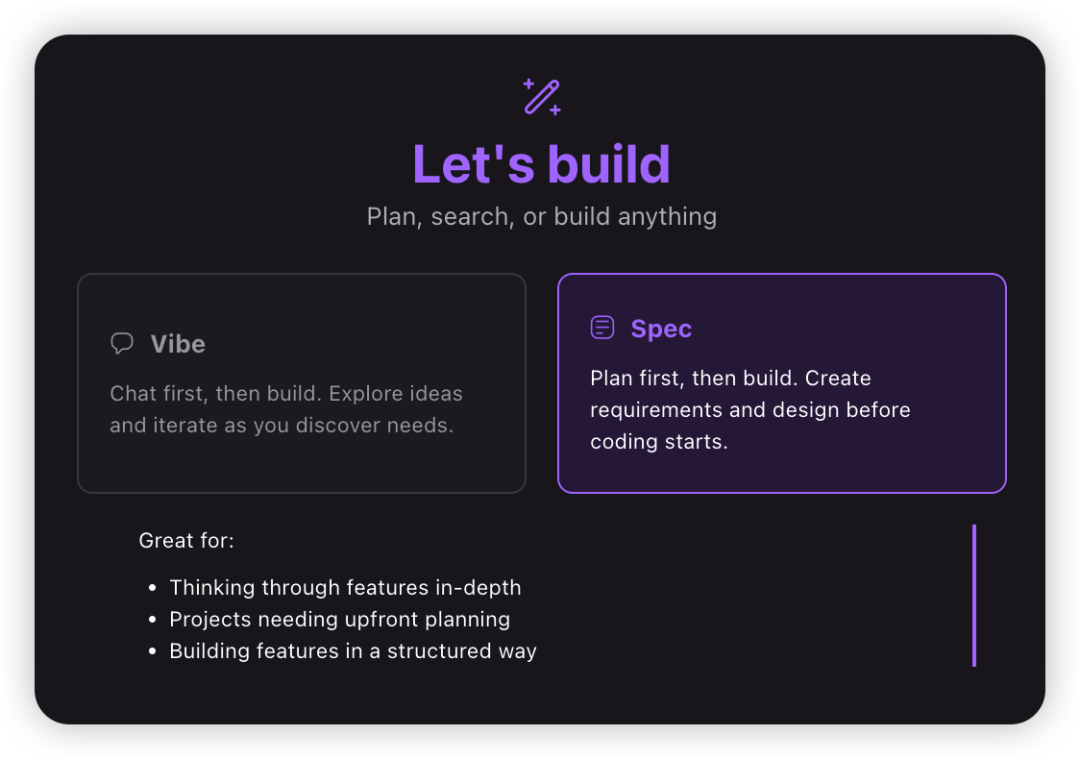
After installation, the main interface separates two development modes: Vibe and Spec.
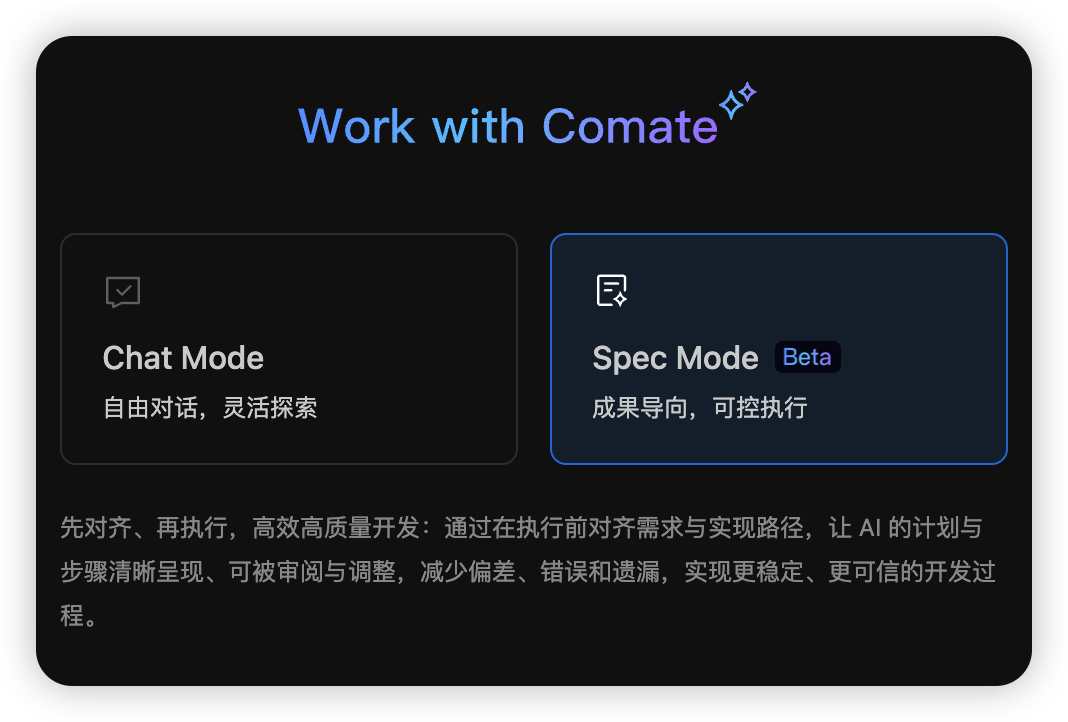
Comate's Spec Mode is still in Beta.
## Requirement clarification
Using it is simple: switch to Spec Mode and enter your requirements.
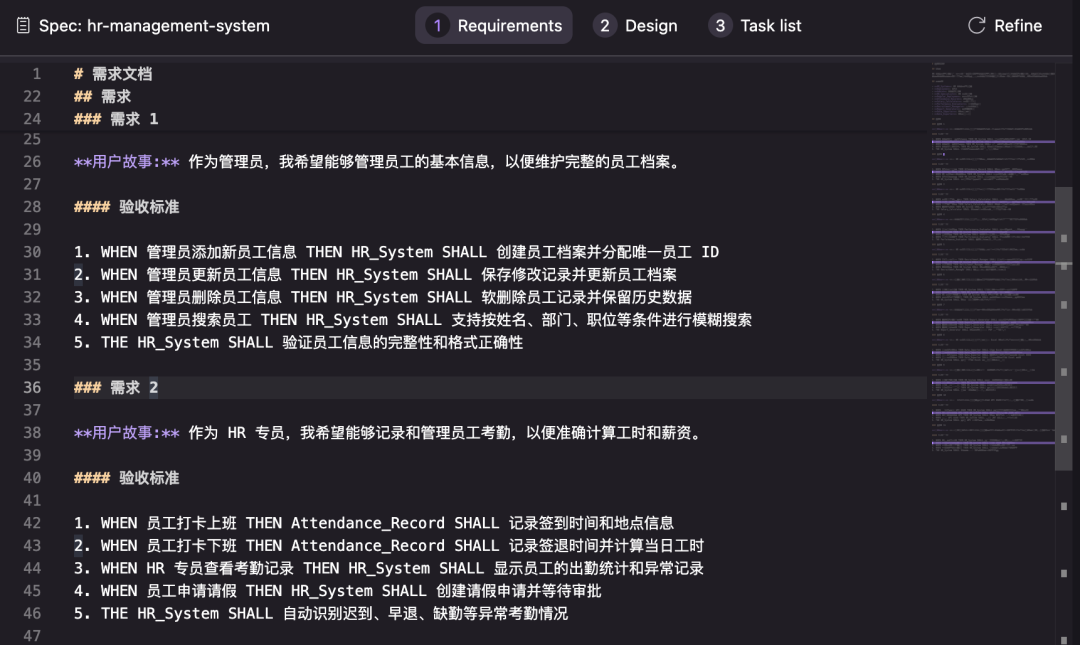
After a short wait, the AI provides a requirements document.
It breaks the requirements down in great detail — a genuinely good requirements document. But the document isn't pure natural language either; the acceptance criteria contain some conditional statements — WHEN, THEN, SHALL and so on — which are there to force alignment on acceptance results.
## Detailed design and task breakdown
In the screenshot above you can see the requirements document contains almost nothing technical.
Once requirement clarification is done, you confirm and move on to the design step. Only then do many of the technical choices that need to be made appear.
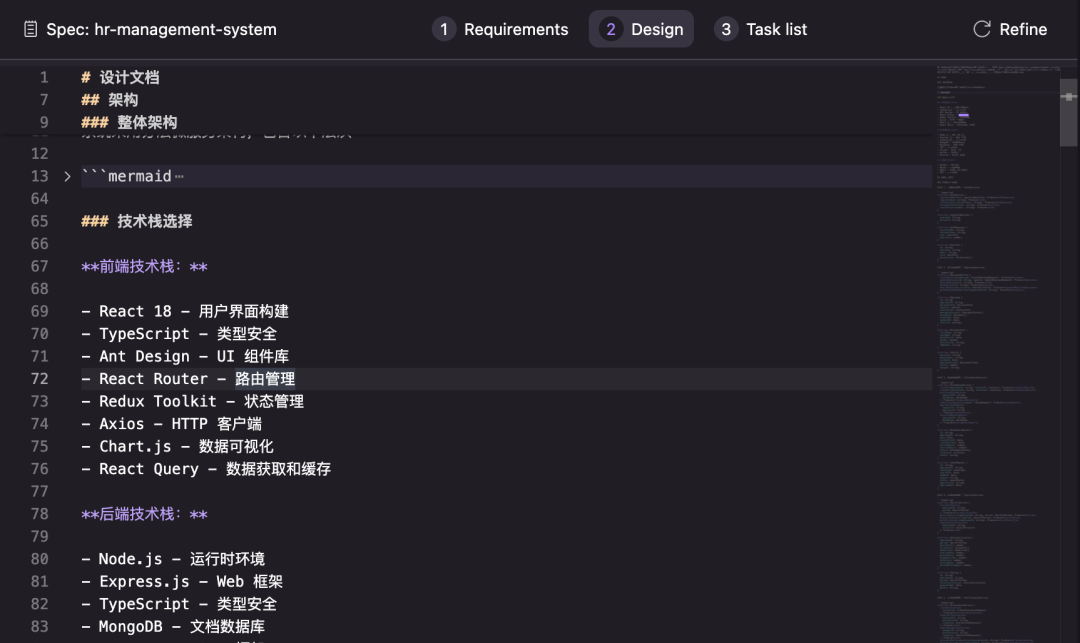
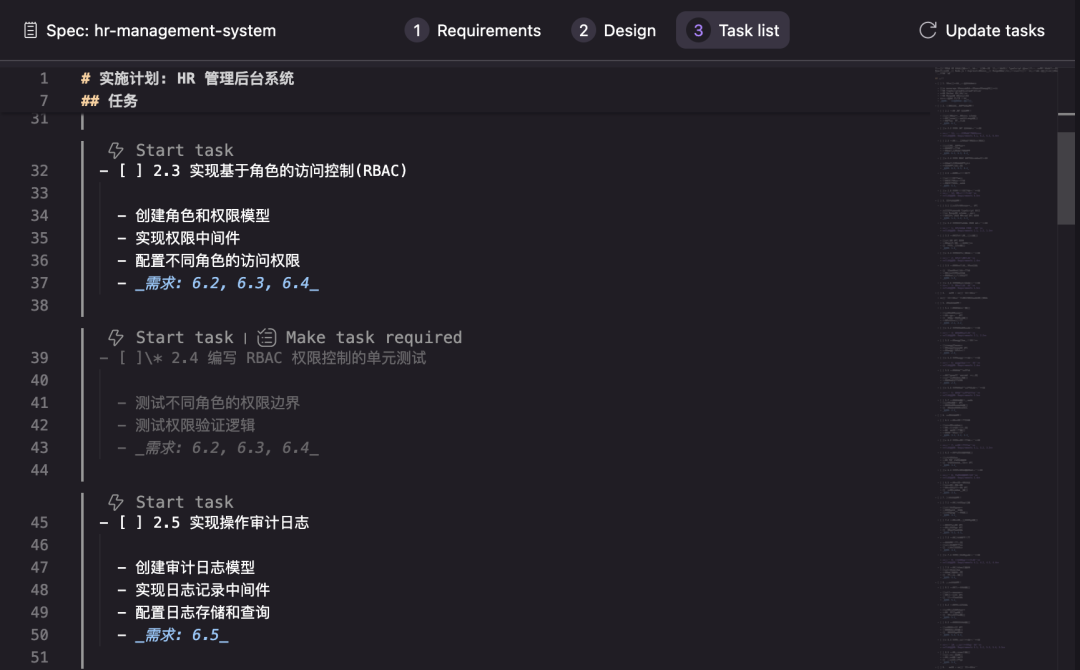
If the design is fine too, we come to the last step, where the AI generates a detailed execution checklist.
What's impressive about Kiro is that you can pick any single task and run it on its own.
How Spec Mode differs from Plan Agent
## Different documents
Last time I tested the Plan Agent in the major component IDEs. They all have a Plan Agent, but none of them has a complete requirements-writing process; what they produce is more a combination of design document and execution tasks.
How does the Plan mode in domestic AI coding IDEs differ from Cursor?
The design documents in Kiro are full of flowcharts, type definitions, database examples and so on — it really looks like the detailed design document a senior programmer writes before starting work, and reading it makes you want to hit like.
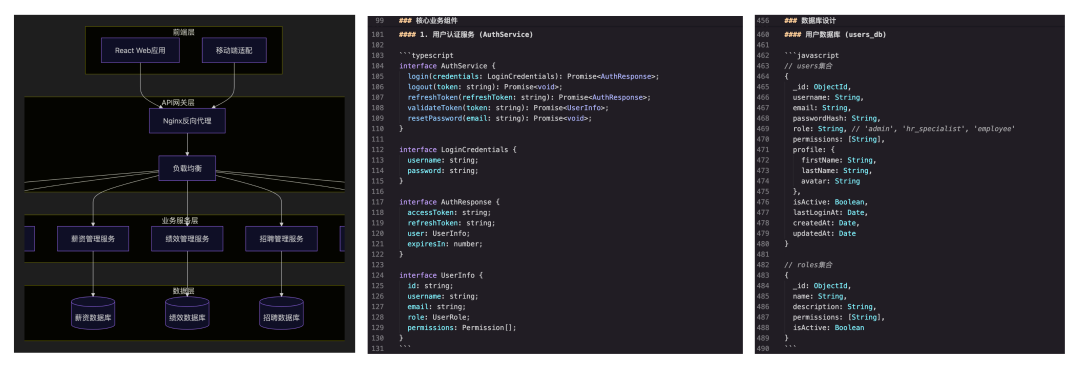
Even the content generated by CodeBuddy, the strongest at documents in last round's test, had only a few sentences on databases and the like, written very much in outline, and it looks amateur by comparison.
## Task-document linkage
In last round's test I found that, apart from Cursor, the tasks other IDEs broke things into at the end were only weakly linked to what the development plan said, and inconsistency between the two was actually the norm. If every step drifts during development, the final output is unlikely to be what you expect.
But in the screenshot above you can see that Kiro's design document and task list both clearly mark which requirement they relate to — the three documents are tightly linked.
## Whether the task breakdown is reasonable
Plan Agent often gets cut off because the context grows too long.
By contrast, after SDD breaks tasks down, many tasks can be executed independently; if the current task has prerequisites, it can't be executed until they are done. Users can also choose to run one or several tasks at a time.
So the process becomes controllable. Even if an interruption happens, the impact on the whole is smaller.
## When should you use SDD?
Before answering that, let's be clear about one thing: SDD cannot improve the model's own capability. What it does is make the content a model generates under its constraints better match our requirements. For example: if a model is simply bad at handling backend databases, SDD won't get you a good database design either.
For now, for programmers, if you need detailed design, you need SDD. So small requirements generally use Plan Agent or direct generation, while complex requirements use Spec Mode development.
## Also, if the project is frontend-only, you mostly don't need SDD.
That's because frontend work usually focuses more on interaction and visual effects, many requirements can be implemented quickly with component libraries or ready-made frameworks, and the data is constrained by backend APIs. The only place it might come up is state management.
## Likewise, in the mature development teams of big companies today, SDD is unlikely to be used often.
Such teams usually have clear divisions of labor, requirements often reach programmers already clarified, and a lot of the business has stabilized, so core things like database design don't need frequent changes.
But a reminder: if AI coding develops well, many programmers will take on some product responsibilities. If that really happens, SDD tools can help you adapt to the role change quickly and produce products that better meet requirements.
So it's still well worth understanding SDD.
A more general approach
Kiro and Comate bake Spec Mode into the IDE. Nice as that is, if you don't use those two IDEs, are there similar ways to do SDD?
Yes — I'm currently trying 3 open-source tools:
- spec-kit: https://github.com/github/spec-kit
- OpenSpec: https://github.com/Fission-AI/OpenSpec
- BMAD-METHOD: https://github.com/bmad-code-org/BMAD-METHOD
If you're interested, we can look into them together.
I'll keep posting the related test write-ups on this account. Thanks for following.