OpenSpec: An Open-Source SDD Tool for More Controllable AI Coding
After learning about the SDD concept, the idea of handing more work to AI — writing less code, or even no code at all — planted itself in my head. Having tried a few open-source tools for controlling AI workflows here and there, I recommend this simple, easy-to-use one: OpenSpec.
Once I understood SDD (Spec-Driven Development), the idea of making AI coding more controllable really appealed to me.
After all, if you do it well, handing more work to AI, writing less code or even no code at all, is entirely possible.
So I've been trying open-source tools for controlling the AI coding workflow one after another. Today I'll start with this simple, easy-to-use one: OpenSpec.
## Installation
Project repo:
https://github.com/Fission-AI/OpenSpec
Stars: 16.9k
On a machine with Node.js installed, run the following command to install it:
npm install -g @fission-ai/openspec@latest
## Initialization
After installing, run the following command in your project folder to initialize:
openspec init
A configuration screen appears:
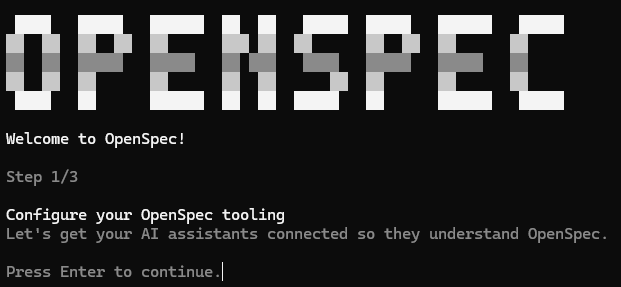
Besides the usual foreign code editors and CLIs such as Cursor, Claude Code, and Antigravity, OpenSpec also supports domestic tools including Qoder, Qwen Code, and CodeBuddy, plus the Cline plugin.
If you're not using any of these — Trae, for example — you can choose Universal AGENTS.md during configuration.
## Usage
Once initialization finishes, several documents are generated under openspec; for unsupported tools there's also an AGENT.md document. You can work by adding these documents as context. For the specific steps, refer to the guidance shown when configuration completes:
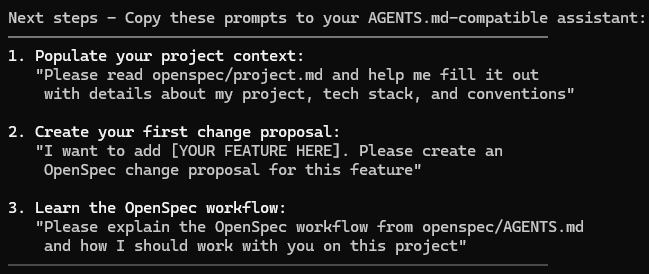
For supported tools, you can use /commands for more precise control. The commands currently supported are:
/openspec-proposal— requirements analysis and solution planning;/openspec-apply— execute the task plan;/openspec-archive— archive the requirements.
Every time you develop a new requirement, you can run these three commands in order.
Run openspec-proposal, enter your requirement, and the documents generated at the end are:
- proposal.md, the requirements document — clarifies what was originally a simple requirement description;
- spec.md, the spec document — sets the boundaries of the requirement;
- design.md, the detailed design document — works out the concrete technical details;
- task.md, the task document — a task list broken down from the design document.
Compared with the plan mode of the major AI coding tools, OpenSpec adds the proposal.md and spec.md documents. The documents are more standardized and carry more detail. Every document generation runs strict validation to make sure it meets the spec requirements. The design proposals and task plans generated on that basis are naturally more trustworthy.
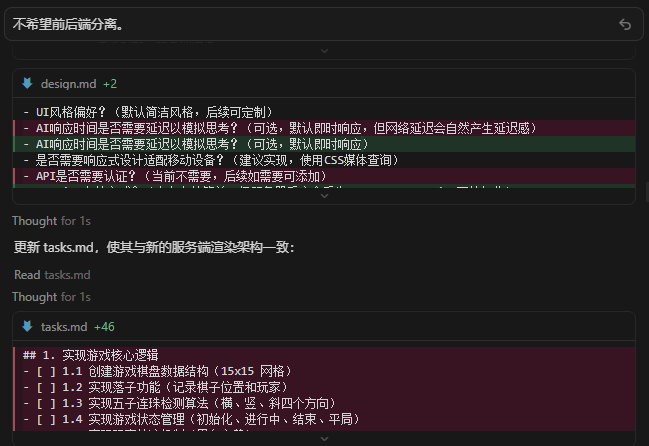
The document split is sensible, which makes revising easier. After the requirement changes, all the documents can adjust to match. The screenshot below shows part of the document diff after I changed the requirement to "no need to separate the frontend and backend" in Cursor:
When you run /openspec-apply with a specific task number from the task.md document appended, it executes that specific large or small task; you can of course also choose to run several tasks or all of them. High flexibility, strong control. Progress is marked automatically when a task is done.
Once the requirement is complete, run /openspec-archive to archive it. The documents move to changes/archive inside the openspec folder, so they interfere less with new requirements.
## The result and my own experience
I used it to generate a Gomoku (five-in-a-row) game.
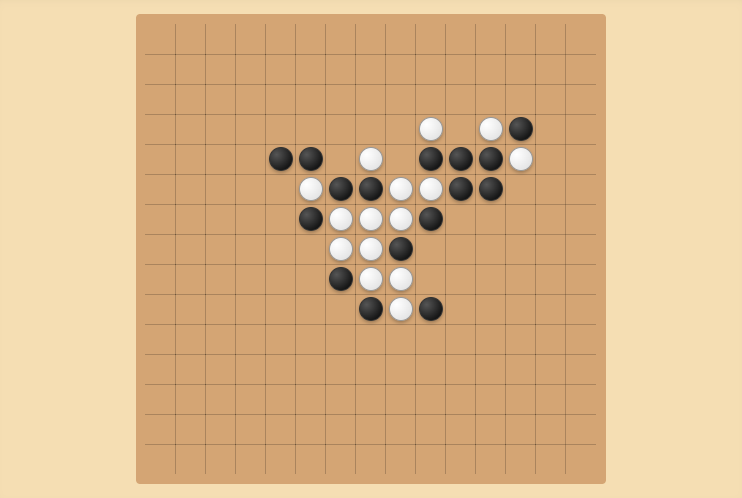
Throughout the whole development process I never touched the code by hand. Even when I had it add an algorithm so a human could play against the machine — which turned the project from pure frontend into an SSR project — it still wrapped up easily.
The generated result is close to what I had in mind; with the algorithm in place, it can trade several moves with a person.
More importantly, OpenSpec greatly strengthens your sense of control over the development process. Granted, this tool is only an optimization of plan mode, but it can already handle complex development in most cases.
If you also want to try SDD on a real project, write less code or none at all, and hand more work to AI, this simple, easy-to-use OpenSpec is still the best place to start.
Related posts:
After a Simple Hands-On with Spec-Driven Development AI Coding, I Found Its Use Cases