Hands-On With DeepSeek V3.2's Coding Ability
After DeepSeek V3.2's Monday update, I configured Trae myself and took its front-end coding ability for a spin.
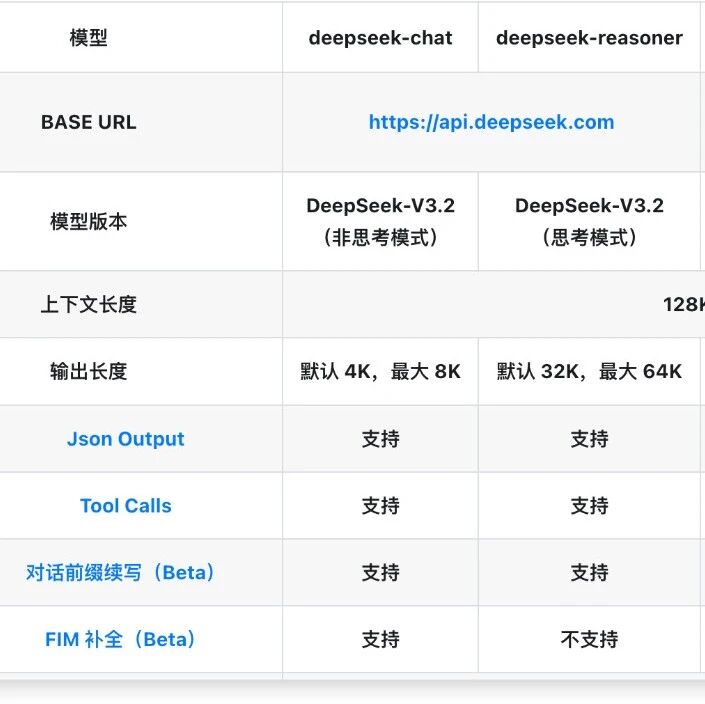
After DeepSeek V3.2 was updated on Monday, I waited a few days, and none of the major editors made a move.
In the end I configured Trae by hand and got a first-hand feel for its front-end coding ability.
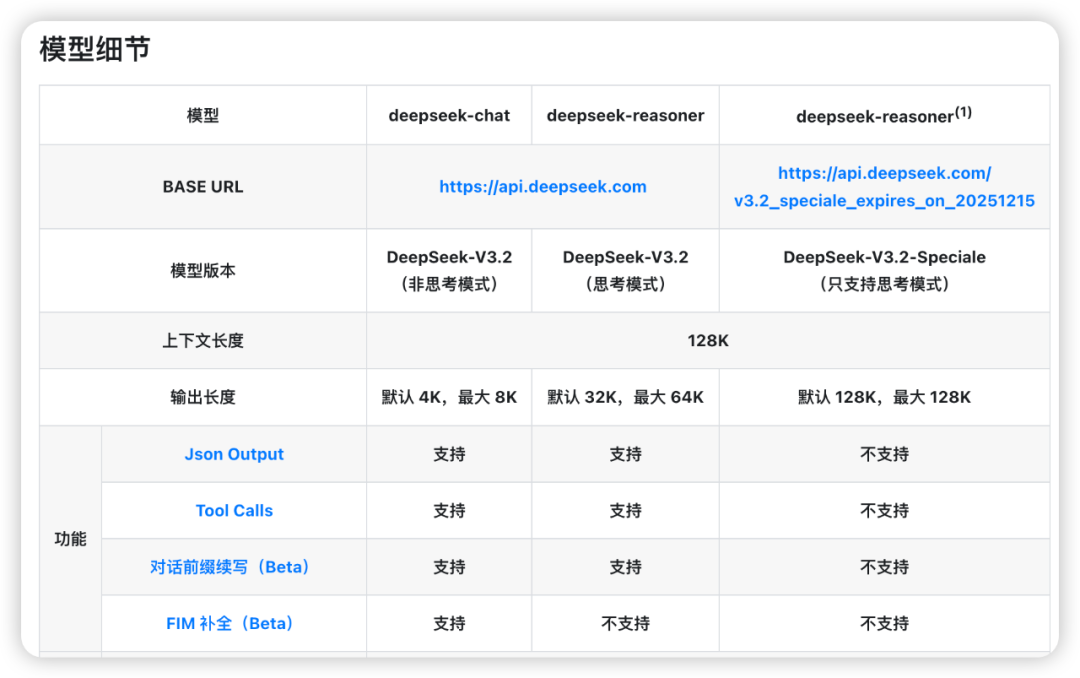
What I used here was still the regular DeepSeek-V3.2 reasoner and chat API. Because Trae doesn't support changing the API address, I never got to use DeepSeek-V3.2-Speciale.
Overall, it felt much the same as when I tested V3.1 Terminus last time.
The finished project didn't have TypeScript as its main language; it was still mostly JavaScript. The generated UI didn't look much different from before either. It's still a V3 release after all, so the training data surely hasn't changed.
Comparing AI coding across China's four major open-source models: DeepSeek is lagging for now
There were good points too, of course:
As the official notes said, it improved tool calling. During development, command-line calls were fast and accurate, and it could tell Windows apart from other operating systems and use the more appropriate command. That was the biggest improvement!
This was even better than the tool-calling experience with Cursor's default model.
Also, in Reasoner thinking mode, it's somewhat verbose, but it has a clear plan for state management — something that rarely shows up in other models — and that made later revisions easier.
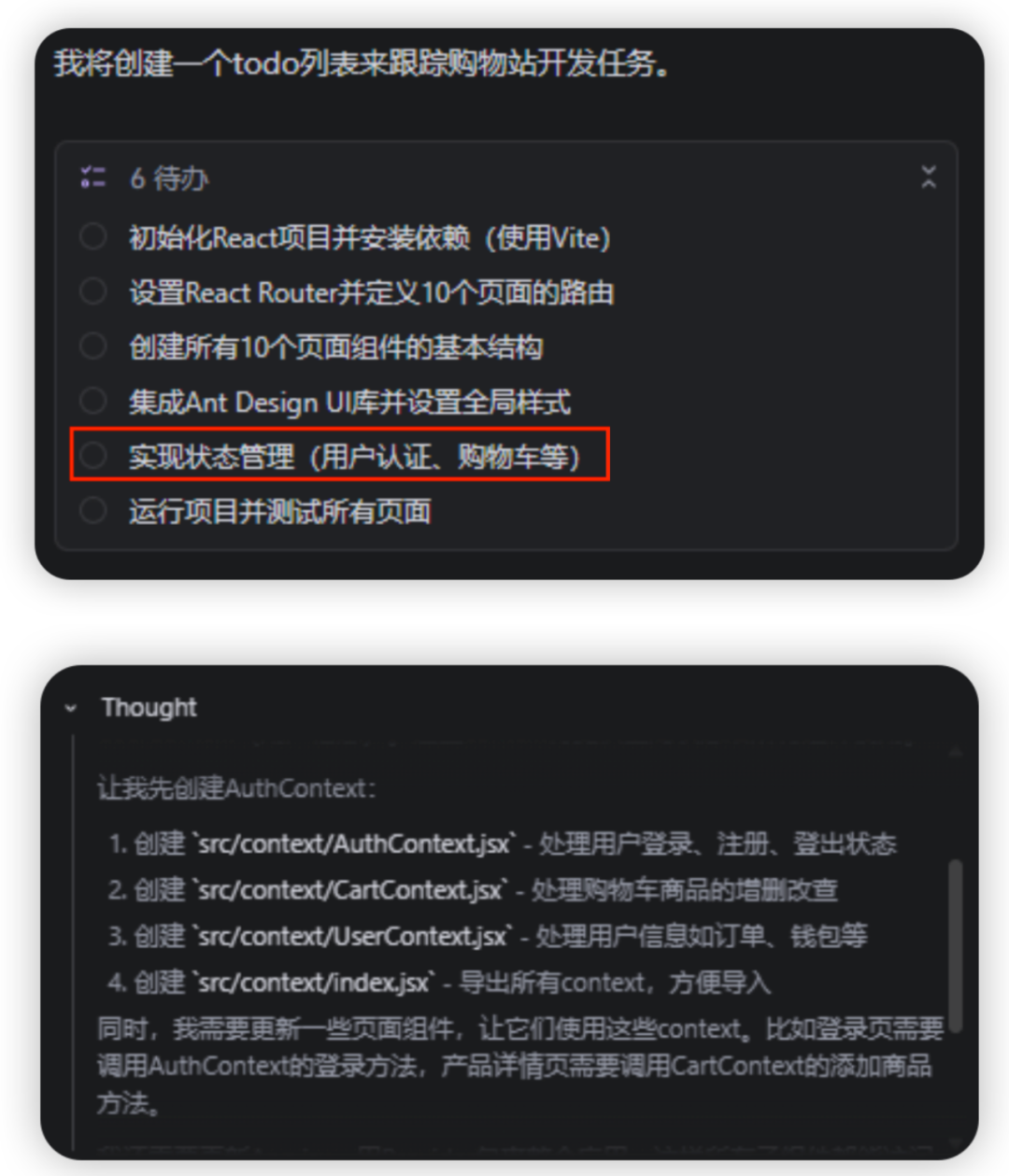
The finished code was also a little richer in structure than before, with more finely divided folders.
Other areas didn't leave much of an impression.
Finally, let's look at token consumption:
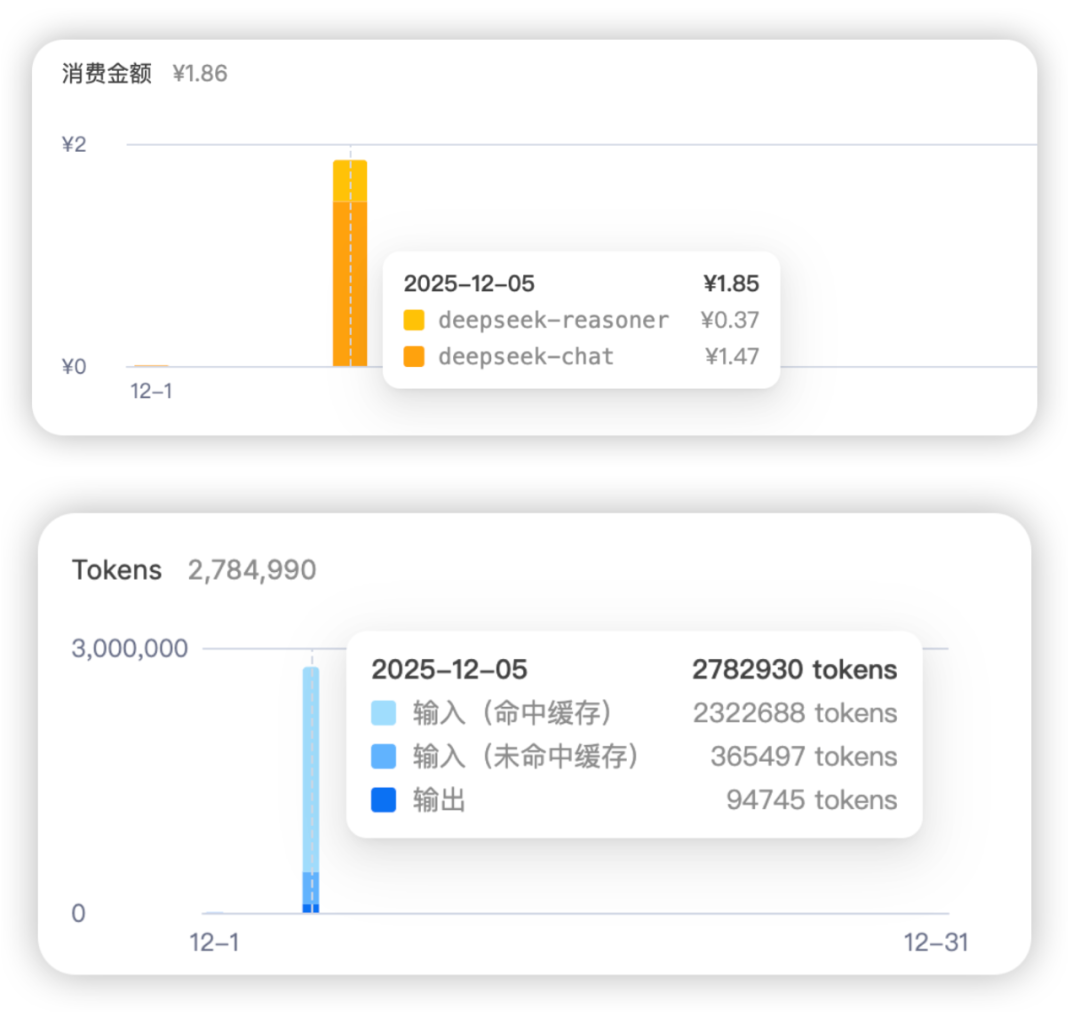
Somewhat unexpectedly, the reasoner, which outputs more, actually consumed fewer tokens. Perhaps it hits the cache more often on coding tasks.
This time I only did a quick, shallow test. I'm still looking forward more to next year's big V4 release~