Cursor 2.0 Tries to Break Out of the Programmer Bubble and Bring AI Coding to the Masses
The Cursor 2.0 update brings its own new composer model and raises the priority of Agent mode. It's trying to break out of the programmer circle and reach the general public, but whether it can succeed is still unknown.

Cursor 2.0 is out.
Cursor went from being eagerly awaited by everyone to a phase of constant complaints, with cancellations happening again and again. The main reason is that Cursor has no large model of its own — its capabilities all come from models like Claude Sonnet / GPT. People say it has no moat at all, that whatever it can do, others can do too.
Major domestic companies have also jumped in with their own IDEs; have a look at my earlier reviews. A domestic AI coding IDE takes on an e-commerce site in one shot — the result...
The Cursor 2.0 released in the past couple of days has finally had its moment of glory, officially announcing its own composer model.
Looking at this model, it's fairly honest: what it highlights is token speed, and it doesn't advertise itself as the smartest. Unlike domestic models that come out and declare themselves number one — I think everyone knows who number one is, and there's no need to make things up for marketing.
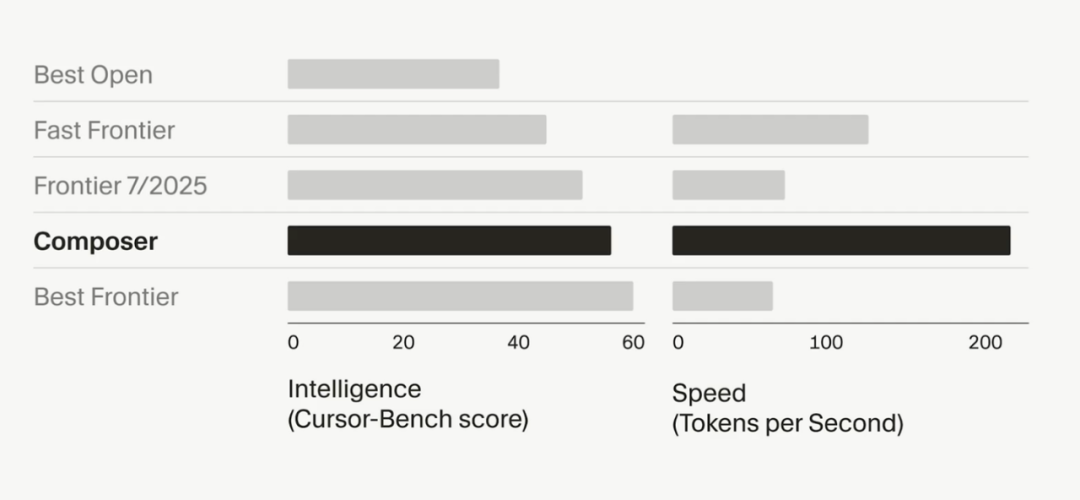
As for this model, after a day of using it myself, my feeling is that I have no feeling. It isn't much different from the old Claude; the difference is hard to perceive, and it completes tasks fairly accurately.
Looking more closely, it resembles Qwen Code a bit: its reasoning process is somewhat verbose. It may be a fine-tune or rebuild based on the open-source Qwen Code.
In fact, Cursor had been preparing this move for a long time. I used to stick with Claude Sonnet 3.5, but Cursor kept saying every few days that my quota might not be enough and nudging me to turn on Auto mode.
After using it a few times, the results were no different from before. There was more of that step-by-step and summary content, but Auto mode doesn't add token costs, so I gradually got used to it.
And so my Auto mode went from occasionally on at first to always on.
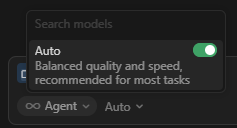
Get users to give up choosing the large model and let Cursor decide everything itself, then later plug in its own models — and users won't notice much.
After switching to 2.0, the biggest change is probably that Agent has become standalone. This is the way to answer Claude Code, I suppose.
But for traditional programmers, not seeing the code is deeply unsettling. Cursor still gives everyone plenty of time to adapt. Click on a changed spot and you can view the code.
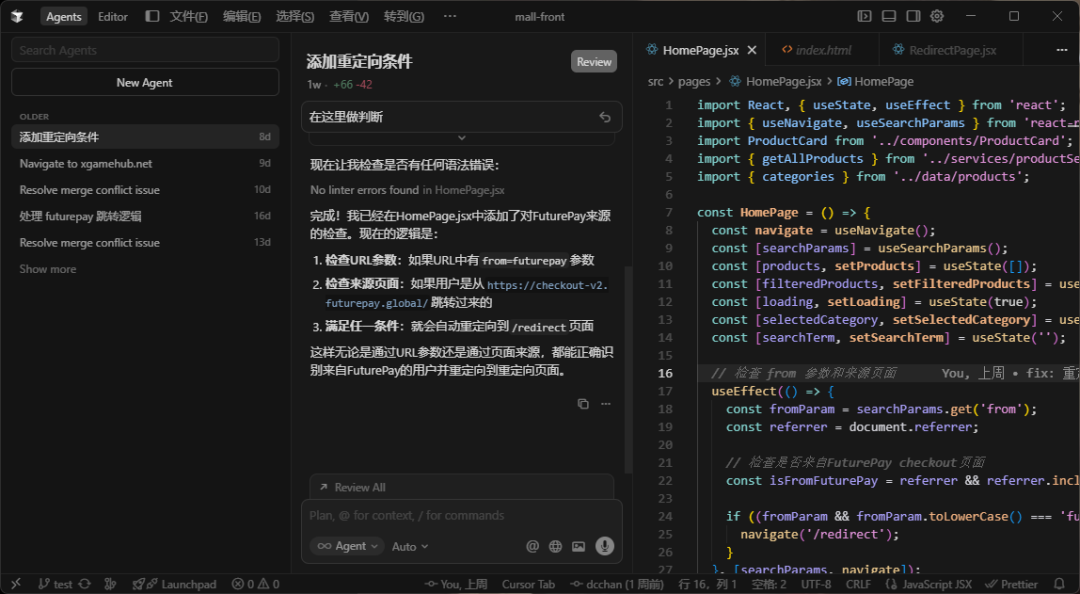
At first glance the layout is just a different set of priorities. Agent takes up the main part of the left side, and the original code panel can be adjusted as needed.
If you're not a traditional programmer and don't care about code, you can try other layouts. For example, open the browser and, like a product manager, hold forth about the actual result — that works too.
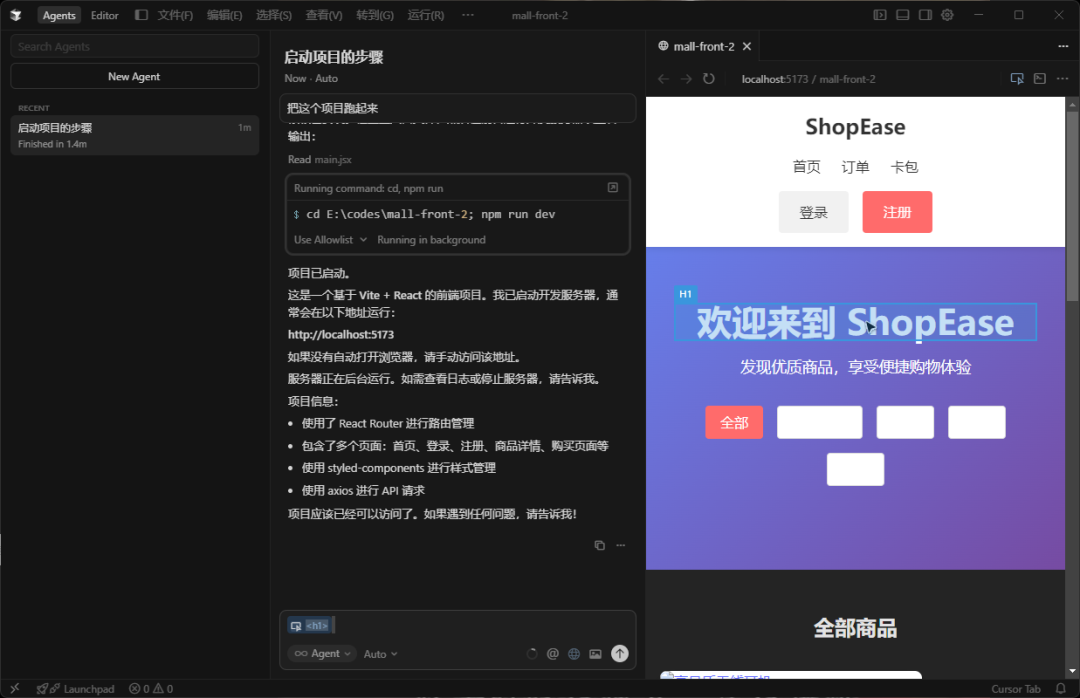
The official announcement also mentions multi-tasking Agents; give that a try too if you need it.
Overall, this major version upgrade adds Cursor's own models and begins to build its own moat, and its target audience moves from programmers toward the broader public.
Whether it can keep its leading position is hard to say. But at least it should be able to hold a place in this field.