BYD Owners: This Open-Source Project Puts CarPlay in Your Car
Today I want to talk about hacking CarPlay onto a car's head unit. Why am I so fixated on CarPlay? Because interacting with a car is nothing like interacting with a phone or a tablet. What I want to cover today is getting CarPlay into your car's Android head unit. The project is called DiPlay.
Today I'm not talking about AI. I'm talking about hacking CarPlay onto a car head unit.
Why am I so hung up on CarPlay?
Anyone who has used CarPlay knows the feeling: interacting with a car is a completely different thing from a phone or a tablet.
Phones and tablets sit in your hand. Tap the wrong thing, go back, start over — you've lost two seconds. But a head unit serves the driver, and the single most important rule is: don't let them lose focus. If you just port phone apps to the car unchanged, you get a lot of problems.
Take podcast apps. On a phone, tapping the title or the cover art opens the detail page, tapping + adds the show to your playlist, tapping comments opens the comments, and only tapping the arrow starts playback. On CarPlay, the whole block is one tap target: tap and it plays, which reduces the chance of the driver mis-tapping.

A phone app, where several different icons trigger different actions
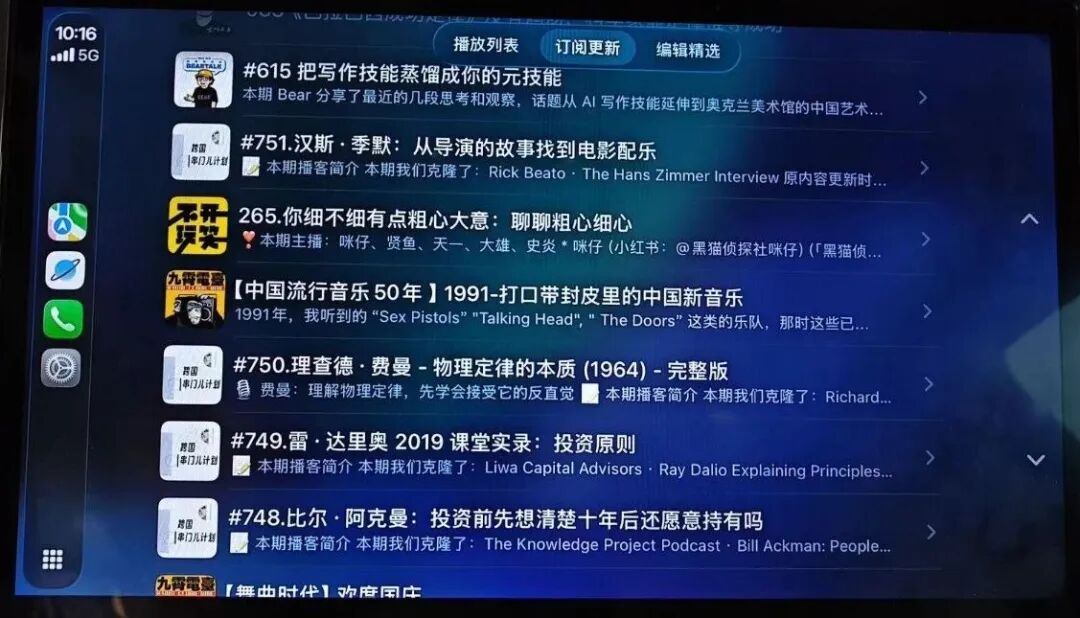
The simplified cards and lists on CarPlay, where tapping only plays
On a phone, finding a show might mean scrolling back and forth for several minutes. For a driver, ten seconds of distraction is already serious; over a minute is basically dangerous driving.
So today's topic is getting CarPlay into your car's Android head unit.
The project is called DiPlay. The author is an independent open-source developer abroad, and the project already has around 2.9K stars on GitHub. The current release is public preview 0.2.10.
GitHub:
https://github.com/shihabal3amri/DiPlay
Installer download (includes Chinese):
https://shihabal3amri.github.io/DiPlay/
What it does is straightforward: it gives compatible Android head units wired and wireless CarPlay.
A few things I find genuinely practical:
- No jailbreak, no dongle, no account, and no authentication server.
- It installs on the head unit, not on the iPhone. Nothing on the phone side needs to be modified.
- Wireless connection goes through the head unit's built-in hotspot, or Wi-Fi Direct (requires Android 10 or later).
That said, this project is aimed mainly at BYD models. It may work on other brands, but other brands are outside the supported scope. It's probably a personal project, without the time or capacity to support or fix compatibility issues on certain brands.
Let me explain the principle a bit. Why can't Android head units use CarPlay in the first place?
Because CarPlay is Apple's. For it to run on a head unit, the head unit first has to pass authentication on the iPhone side — the traditional approach is a built-in Apple-certified MFi accessory chip that proves at the hardware level that "I am a legitimate CarPlay receiver." Without that chip, the iPhone simply won't project anything over.
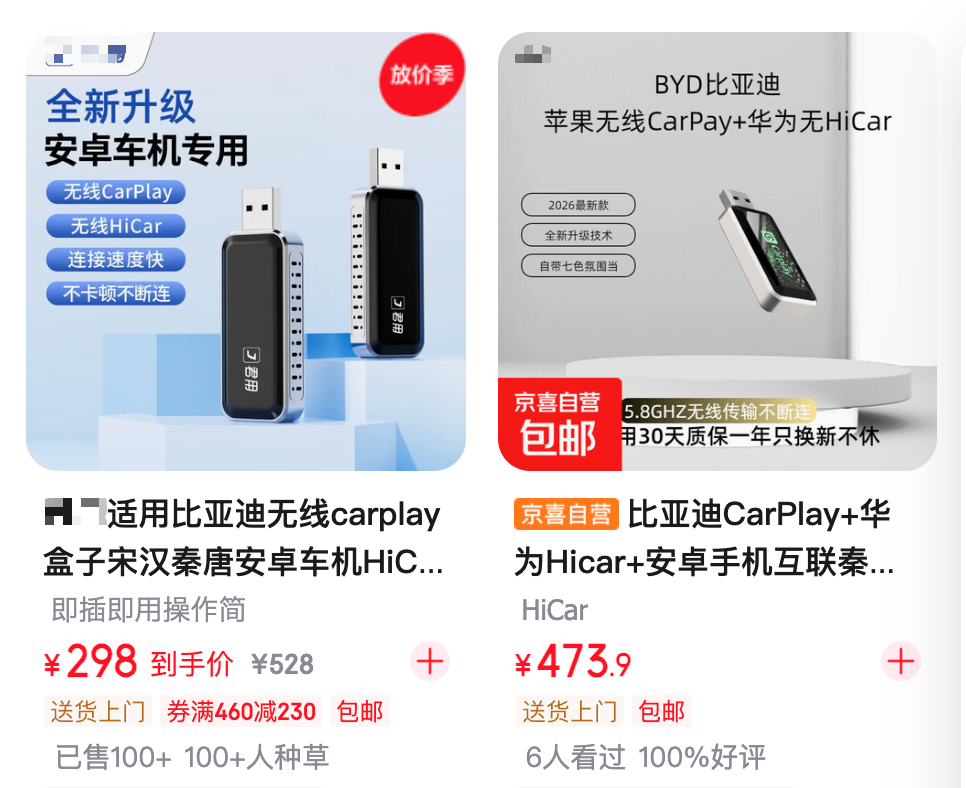
CarPlay boxes sold online aren't cheap
DiPlay's approach is to handle this authentication step in software.
The official site puts it this way: authentication uses "an experimental accessory identity recovered from public firmware." In plain terms, it bypasses the hardware dongle and performs, locally on the head unit in software, the identity verification that used to require a chip.
The cost is obvious: this is a path Apple has not officially acknowledged. Nobody can guarantee it will keep working after some future iOS update.
As for installation, the official steps go roughly like this:
- While parked, download the APK and install it using whatever method your head unit supports.
- Open DiPlay and grant the Bluetooth, Wi-Fi/location, and microphone permissions it requests.
- Turn on the head unit's built-in hotspot (use 5 GHz if available). Go to "Settings → Connection Settings", choose "Head unit hotspot", and enter the hotspot name and password exactly. Keep Wi-Fi and Bluetooth on on your phone, pair it with the head unit, then tap "Connect phone" and confirm the popup on the phone.
- If you want wired, plug in a USB data cable, choose "Connect via USB", and accept all the popups about USB, trust, and local communication.
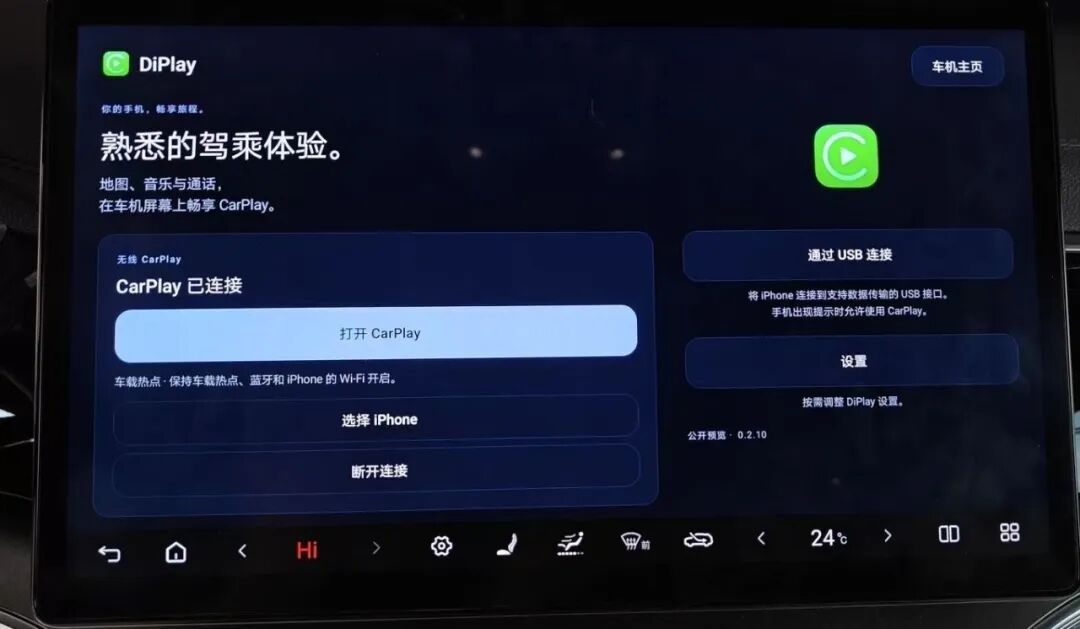
The interface gives clear prompts; just follow them
A few practical official reminders:
- Daily use doesn't require ADB.
- No manual MAC address entry.
- If the picture stutters, set the frame rate to 30 fps and turn off HEVC first; if that isn't enough, lower the resolution.
- For detailed installation and connection docs, the repo has a dedicated INSTALL document.
That's the project and the principle. What follows is my own experience getting it working.
For the download step I tried several methods, and in the end the easiest was to install a browser on the head unit and open the installer URL in it to download.
After installing, just follow the normal Android app flow.
I started with a wireless connection. A CarPlay confirmation dialog popped up once along the way, but the interface never came up no matter how long I waited.
In the end I switched to USB. It feels a bit faster, though it also took several attempts — maybe a cable issue, needing repeated checks. Overall the time it takes is inconsistent: sometimes it comes up quickly, sometimes you wait a good while.
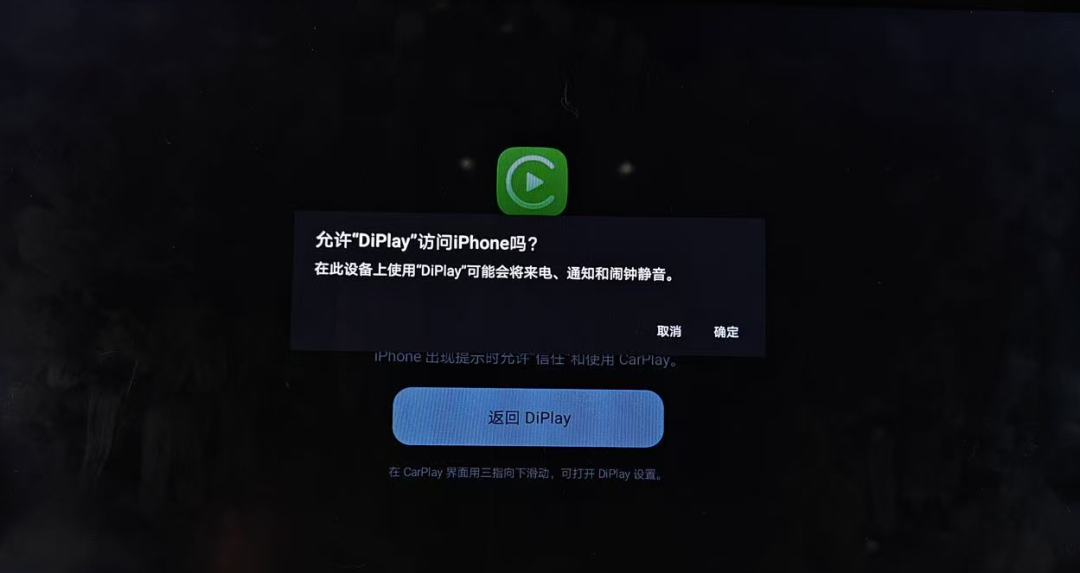
It occasionally drops out during use, too. The "three-finger swipe down" exit gesture conflicts with the climate controls.
Overall it's decent, in a usable state, with room to improve on stability. I'll keep looking forward to future updates.
## Finally, if you ask me, is it worth installing?
My advice: if you drive a BYD with an Android head unit and you happen to be used to CarPlay's interaction model, this project is worth a try — it's free and open source, and the author keeps updating it.
But you have to accept three things:
- It's a public preview, not an Apple-certified product, and stability is still being polished.
- It completes authentication via an "experimental accessory identity"; whether it keeps working if Apple tightens things up is unknown.
- It only supports BYD. Other brands might work, but you may need to be comfortable tinkering.
For me, the moment the CarPlay interface finally lit up, there was only one feeling —
the familiar feeling is back. And that's a good thing.