Weekly Notes 14 | You're Not Used to TUI — Maybe You Just Haven't Found the Right Tool
I imagine most people are like me: if something can be done with a graphical interface, I will never type a single command. But maybe I just hadn't found the right tool. If you've also been putting off TUI tools because of the learning curve, give the tool in today's post a try.

For a long time I felt the terminal and I were just astrologically incompatible — if something could be done with a graphical interface, I would never type a single command. I imagine most people are like me.
But ever since Claude Code came out with its TUI style, almost every AI Agent tool on the market has started showing up in terminal form.
The tools officially recommended by DeepSeek are no exception; most of them are TUI tools.
https://github.com/deepseek-ai/awesome-deepseek-agent
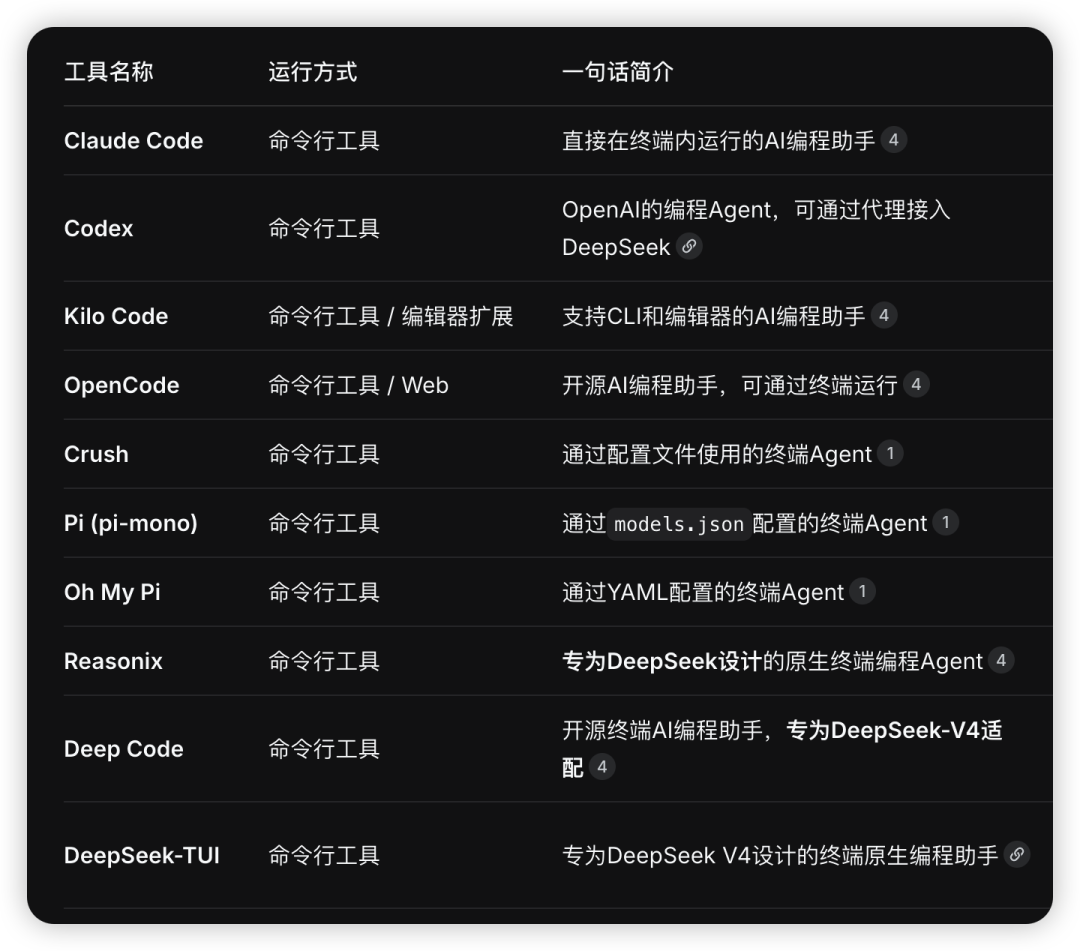
Seeing everyone using them, I decided to try once more.
First I tried Pi, a minimal Agent built on the OpenClaw core that the self-media crowd kept recommending.
Fast! The response really is fast! That smooth feeling of seeing feedback the instant you type — I hadn't experienced anything like it even after using opencode for a long time.
But I still got stuck on "terminal inertia": every time I used these tools I had to open a browser, an editor, and then another server... switching back and forth, scrambling to keep up. Until this time, when I stumbled onto cmux by accident.
cmux is a terminal multiplexer written in Go.
It works out of the box — no config file to write, no keyboard shortcuts to memorize. The interaction logic is like a normal text editor: you see it, you operate on it, and you don't have to read through a manual before you can start.
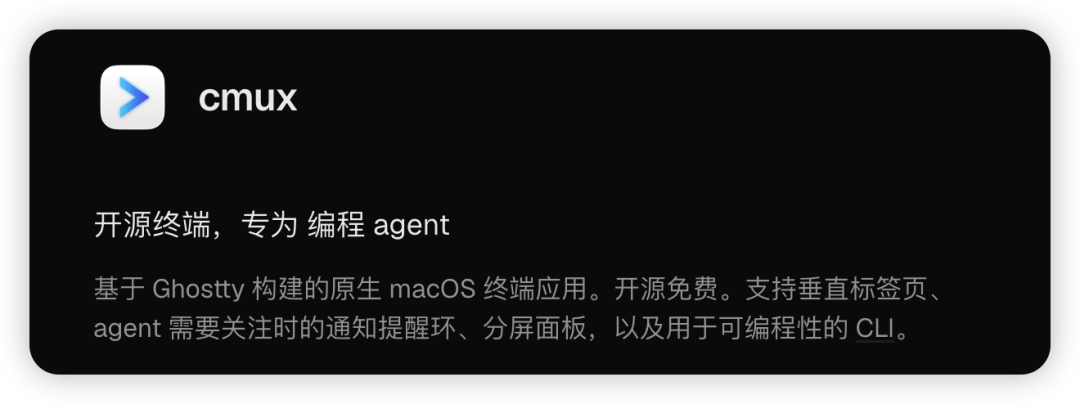
Download: https://cmux.com/zh-CN
Compared with tmux, which heavy terminal users are probably familiar with, cmux is subtracting: it cuts away the capabilities most people rarely use, and what it buys is zero learning cost.
Splitting the screen, creating a new panel, switching views... in cmux these are just ordinary text operations.
cmux manages things by workspace, and the interface looks like this:
- Left: the workspace list. You can open as many workspaces as you like and run them in parallel, multi-threaded.
- Middle: the big main terminal window.
- Right: terminals you've split off yourself, for example a browser in one, and a server started below it.
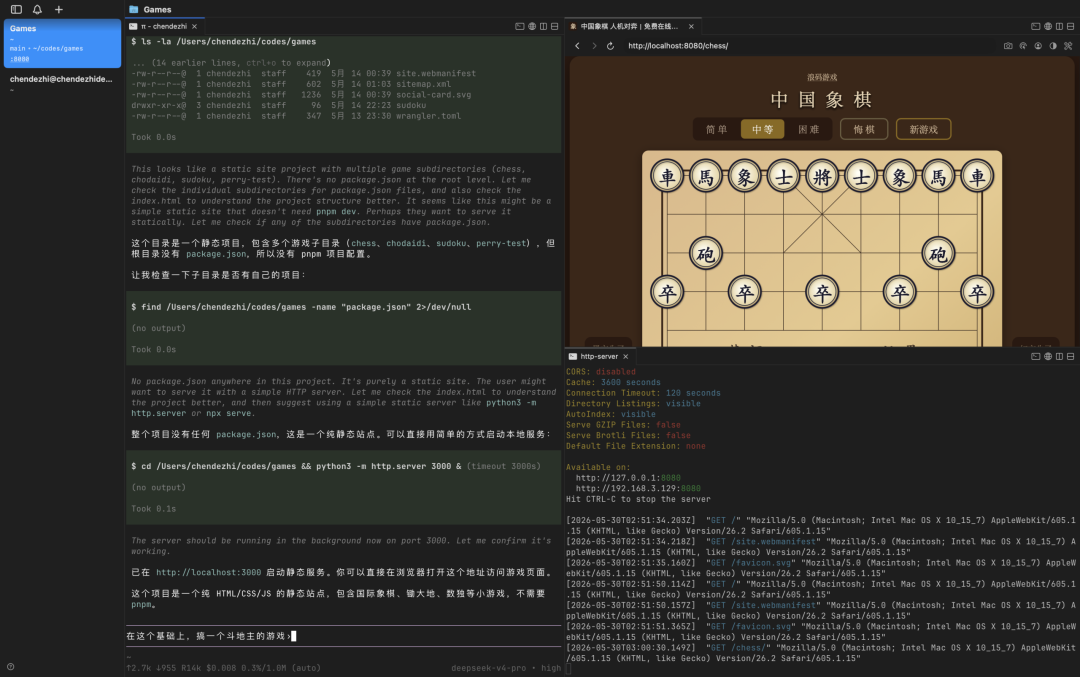
I set it to the classic layout: a terminal on the right running the browser, and another terminal below it running the server. This layout is almost identical to the one in Codex and Cursor Agent, and it feels very natural to use.
The pity is that it lacks a built-in file browser / code viewer; otherwise it would be perfect. Still, with this simple setup I can already put together an environment for an efficient Agent.
The biggest surprise: after I started Pi inside cmux, even if I restarted cmux, the previous Pi interface was still there, with no need to reopen it. That persistence alone saved me a huge amount of time on repeated operations.
After two weeks of use, it feels like my "dream T (Terminal)". I have to admit that not being used to the terminal before may simply have been a matter of not having found the right tool.
If you've also been holding off on TUI tools because of the learning curve, give cmux a try. Maybe all you were missing was a terminal multiplexer that doesn't make you memorize shortcuts and lets you configure things however you like.